

Navigate to Reader Rx
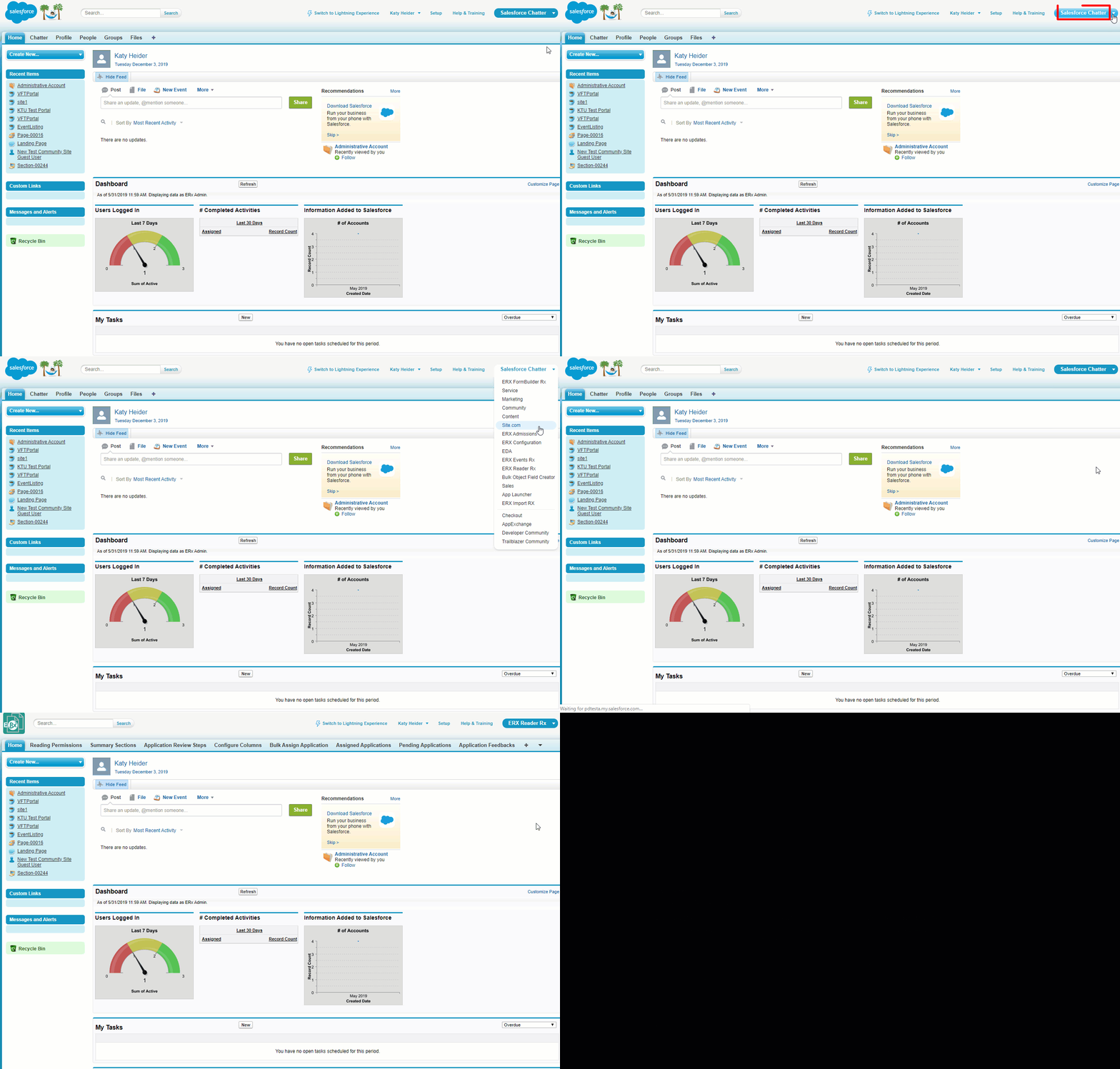
To get started, log in to Salesforce and navigate to the Enrollment Rx: Reader Rx app.
In Salesforce Classic
Go to list item
In Lightning Experience
Go to card
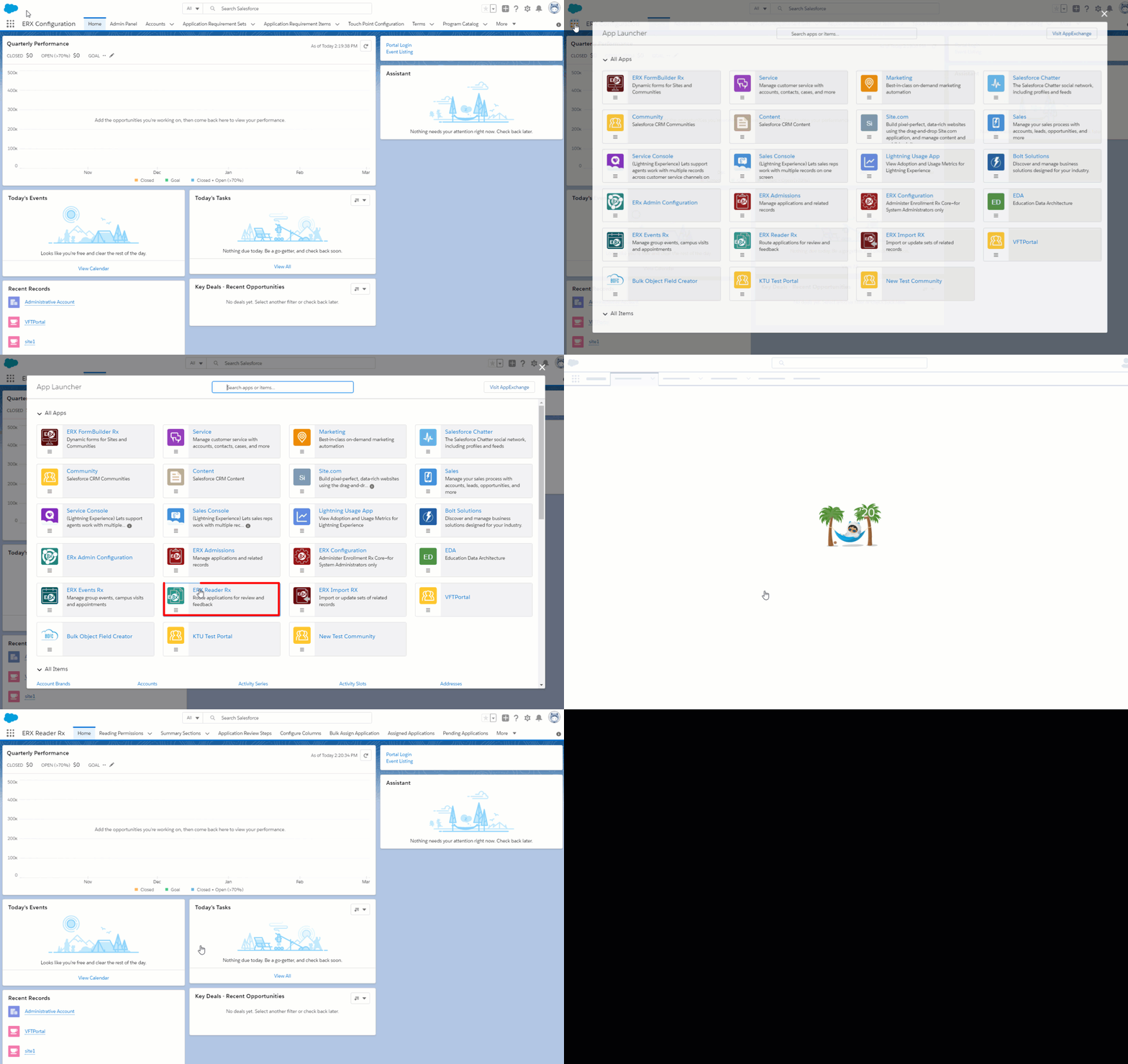
To get started, log in to Salesforce and navigate to the Enrollment Rx: Reader Rx app.
Go to list item
Go to card
Your feedback helps us improve the R.A.D. Navigator.
Provide your email only if you'd like us to follow up.
Need help with an Enrollment Rx product? Contact Support.