

How to Find Your Current Version of Reader
Steps to find your current version of Reader in Salesforce
- Go to
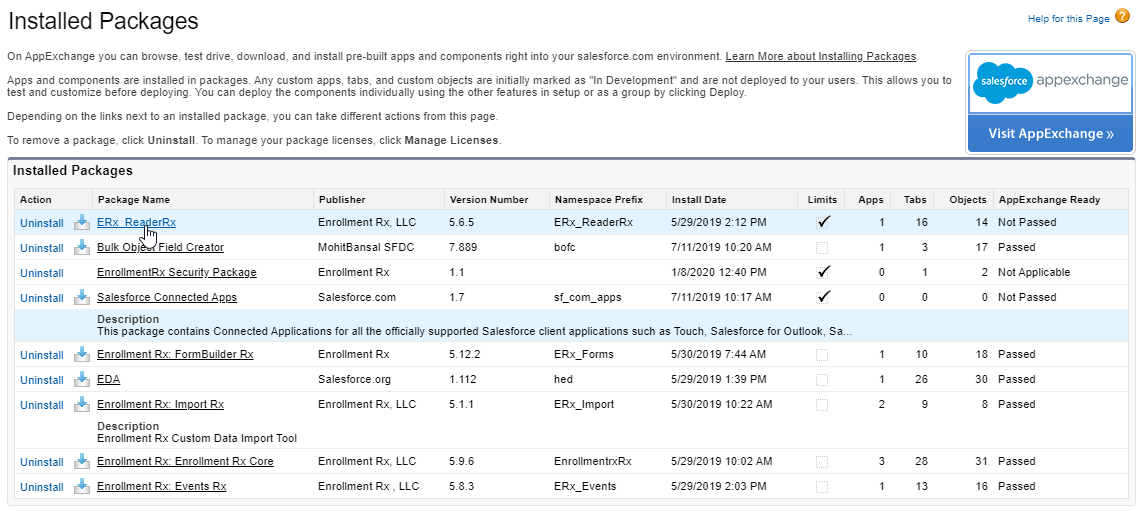
- Click on the name of the Enrollment Rx: Reader Rx package:
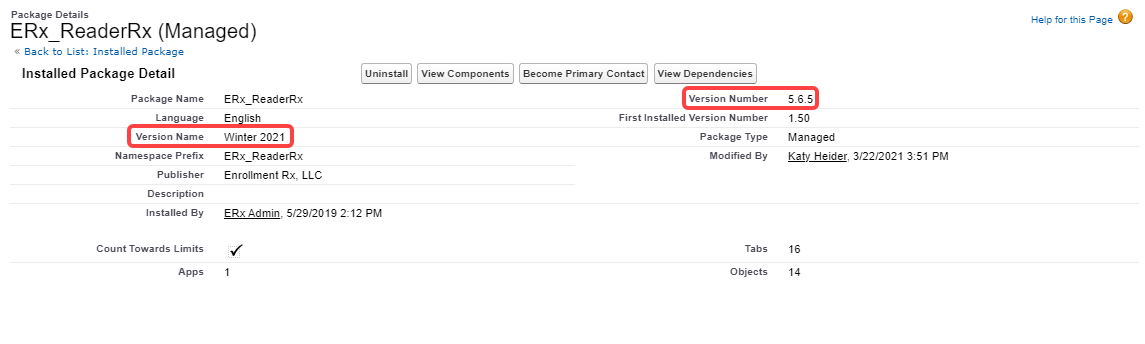
- The details page will open showing the Version name and number:
Steps to find your current version of Reader in Salesforce
Your feedback helps us improve the R.A.D. Navigator.
Provide your email only if you'd like us to follow up.
Need help with an Enrollment Rx product? Contact Support.