

Page Analyzer
Page Analyzer provides detailed analysis of an individual FormBuilder Rx page. Use Page Analyzer to review page health and configuration, field references, dataset usage, section usage, and identified issues, warnings, and recommendations.
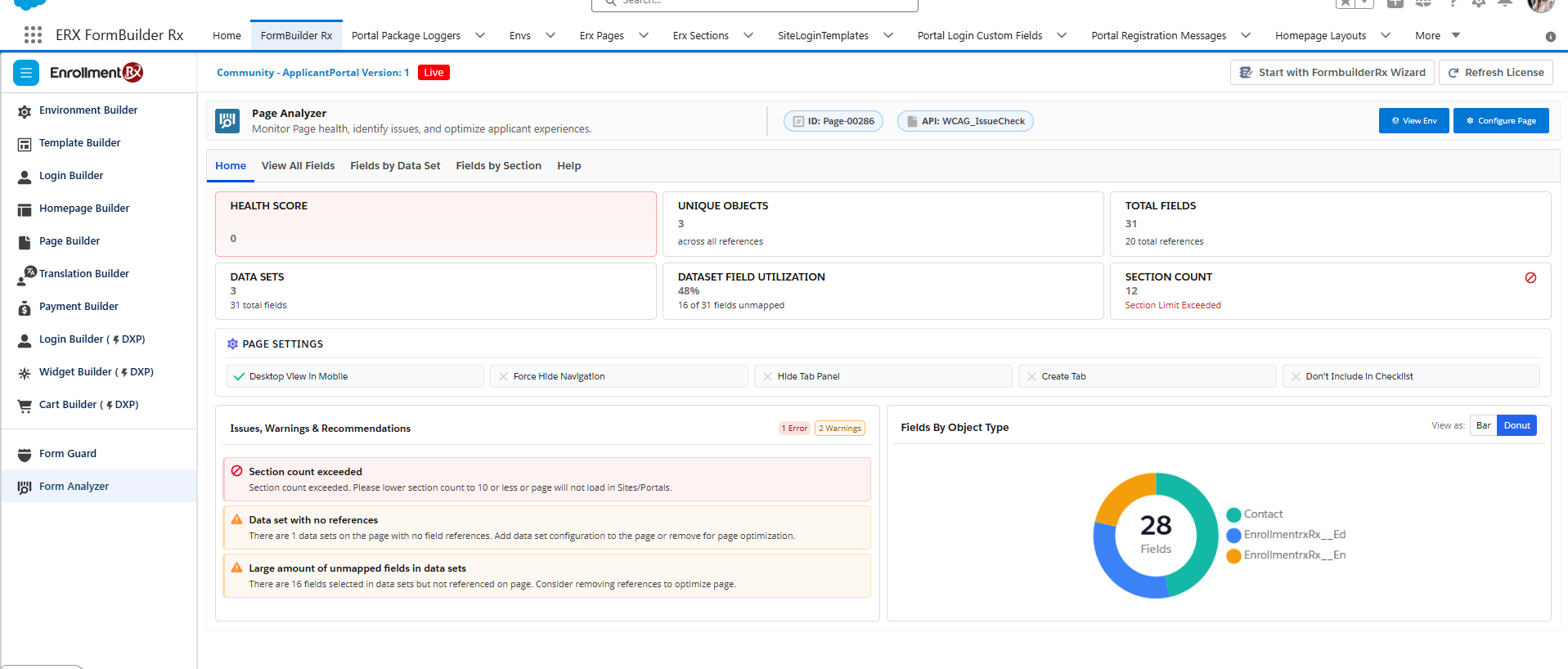
Home Tab
The Home tab provides an overview of the selected page and summarizes its health, configuration, and usage.
The Home view includes:
- Page Health Score
- Unique Objects
- Total Fields
- Dataset Utilization
- Section Count
- Page Settings
- Issues, Warnings, and Recommendations
- Fields by Object Type in bar or donut view
Page Settings
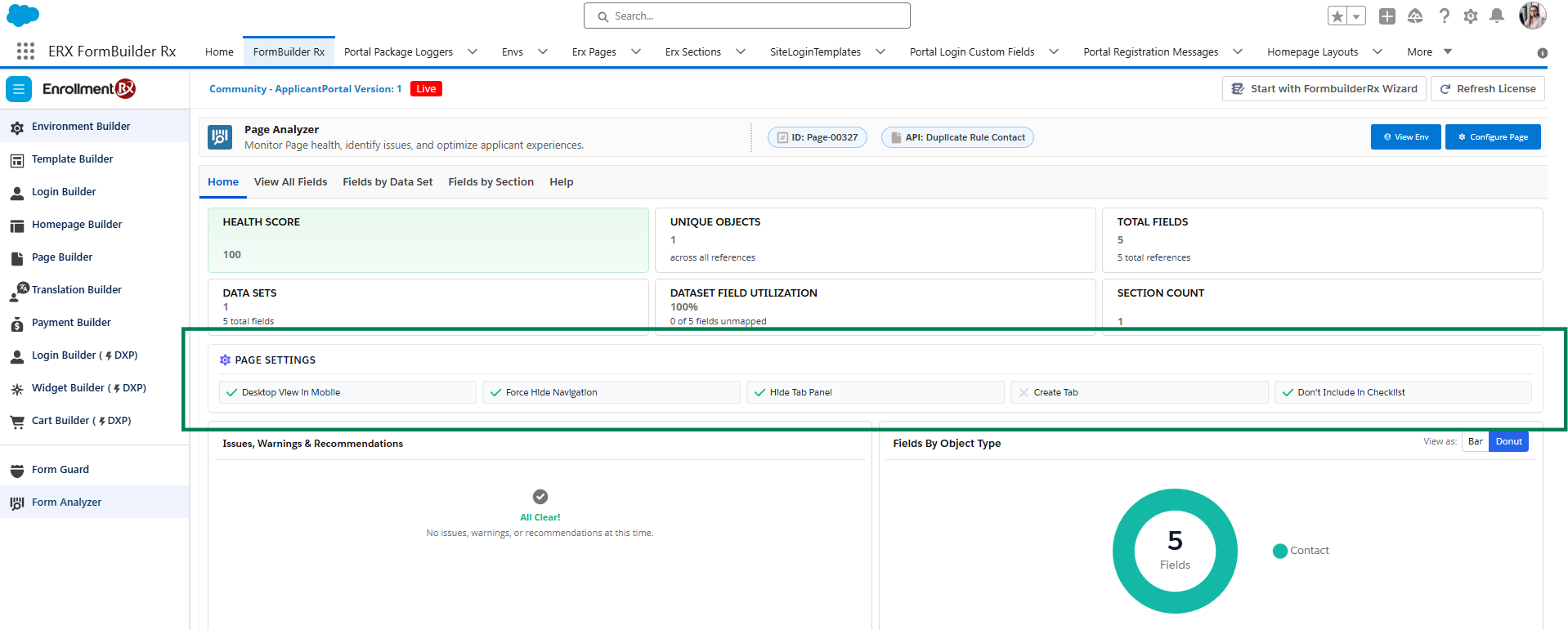
The Page Settings information includes:
- Desktop View in Mobile
- Force Hide Navigation
- Hide Tab Panel
- Create Tab
- Don't Include in Checklist
View All Fields Tab
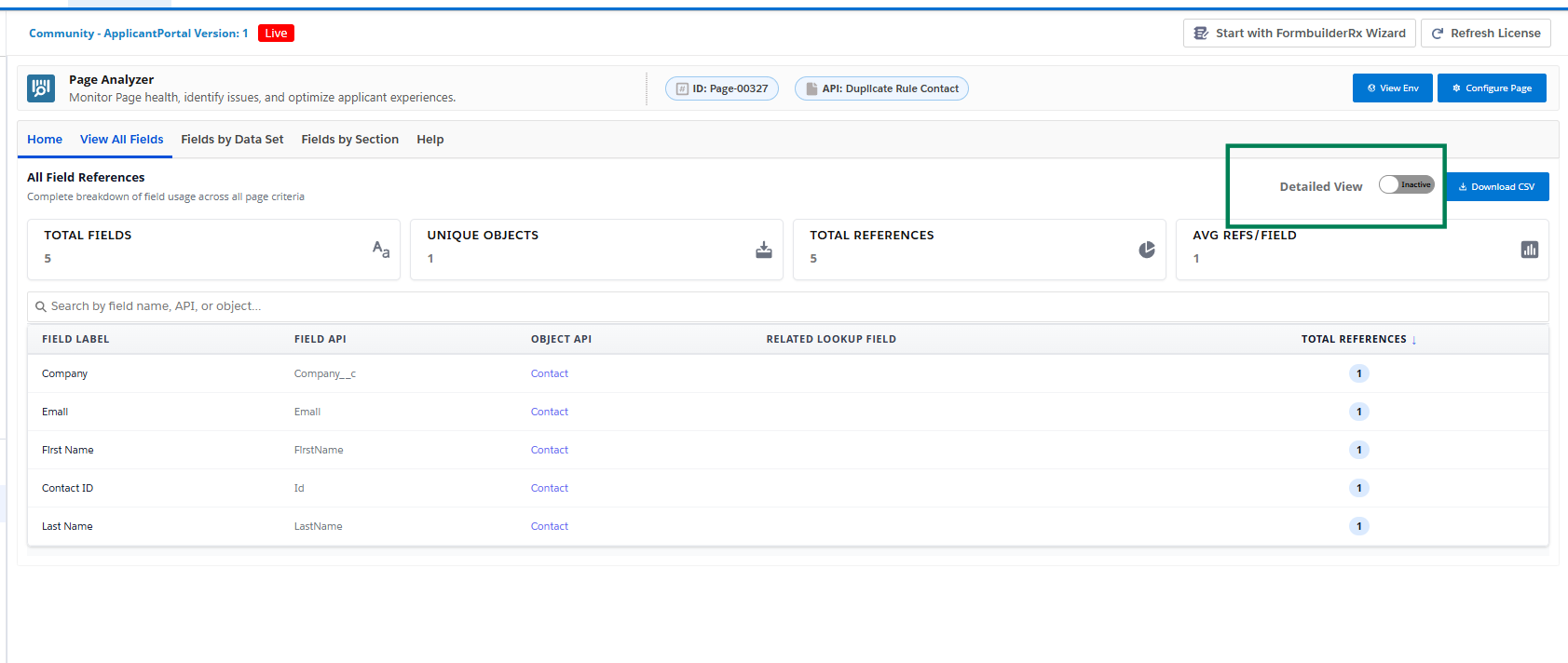
Use View All Fields to review the fields referenced on the selected page. This view can help you understand which Salesforce fields are used by the page and how frequently they are referenced.
For each field, Page Analyzer displays:
- Field Label
- Field API
- Object API
- Related Lookup Field
- Total References
You can search the field list and download the displayed information as a CSV file.
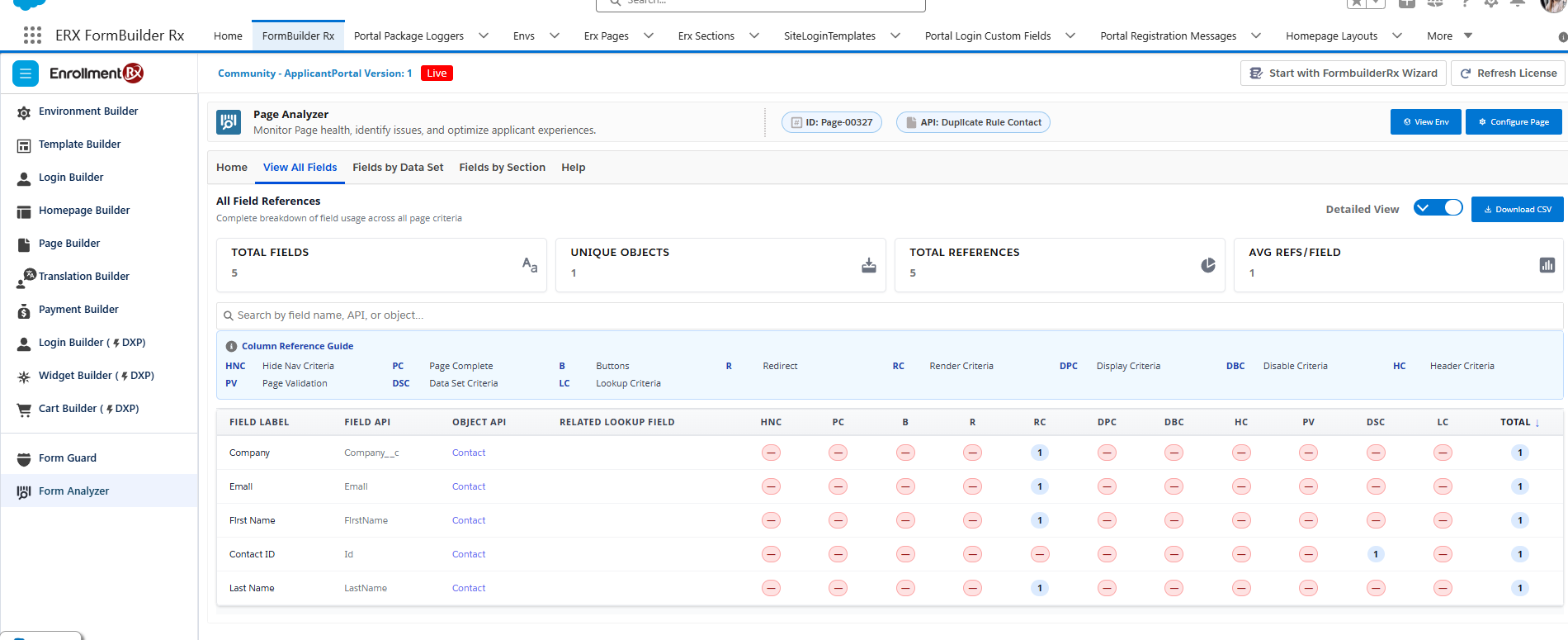
Detailed View can identify references associated with:
- Hide Navigation Criteria
- Page Complete
- Buttons
- Redirect
- Render Criteria
- Display Criteria
- Disable Criteria
- Header Criteria
- Page Validation
- Dataset Criteria
- Lookup Criteria
Fields by Data Set Tab
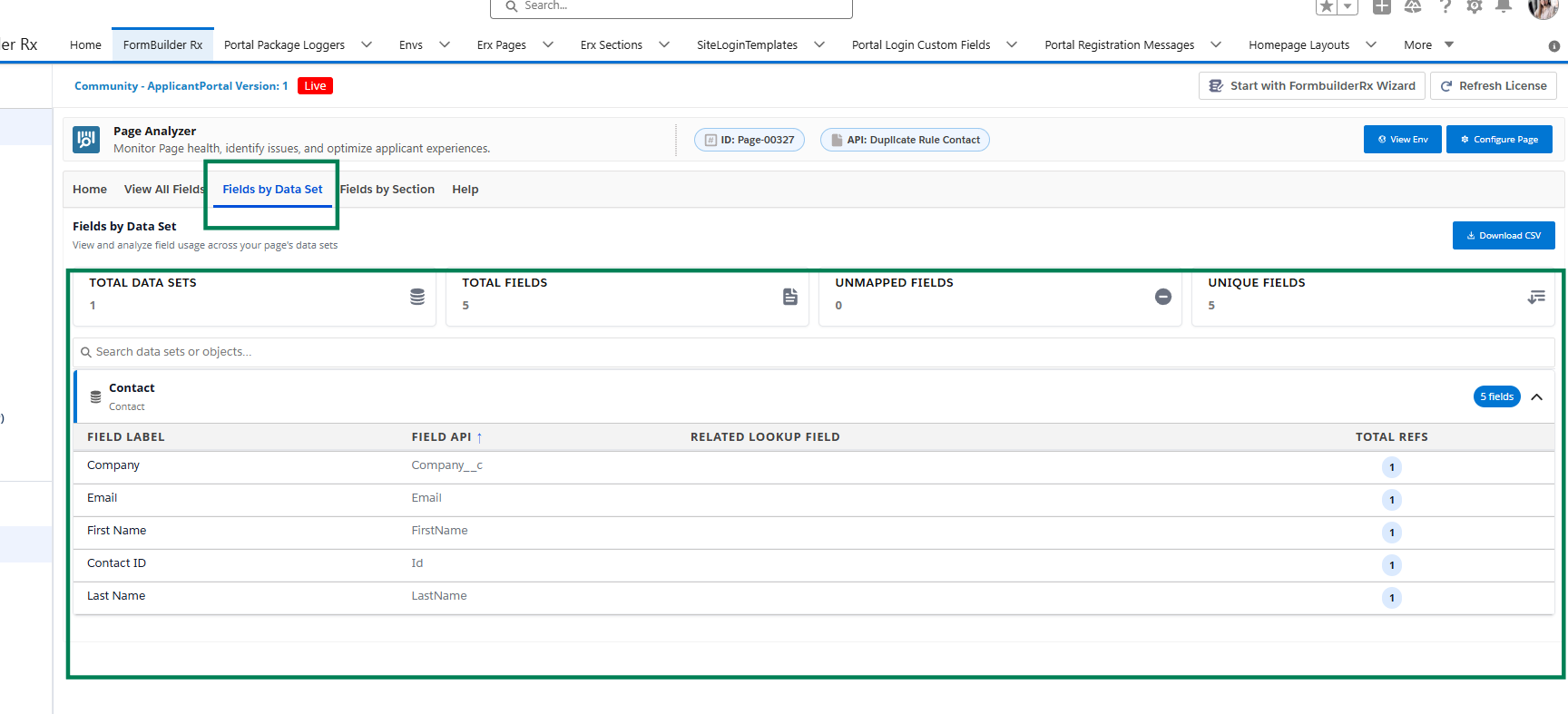
The analysis includes:
- Total Data Sets
- Total Fields
- Unmapped Fields
- Unique Fields
You can search datasets, download the information as a CSV file, and expand or collapse datasets to view their field details.
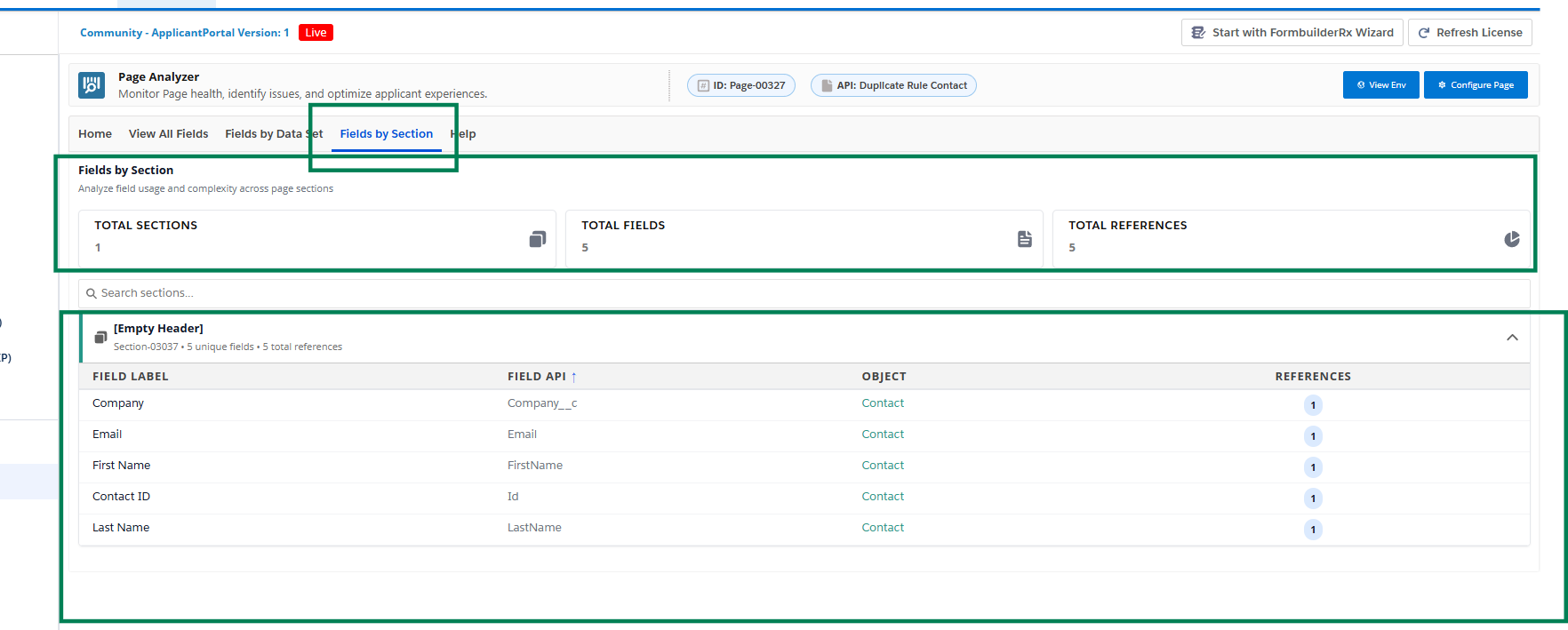
Fields by Section Tab
Use Fields by Section to review field references grouped by the sections on the selected page.
The analysis displays:
- Section Name
- Field Label
- Object
- Reference Count
User Help and Analysis Results
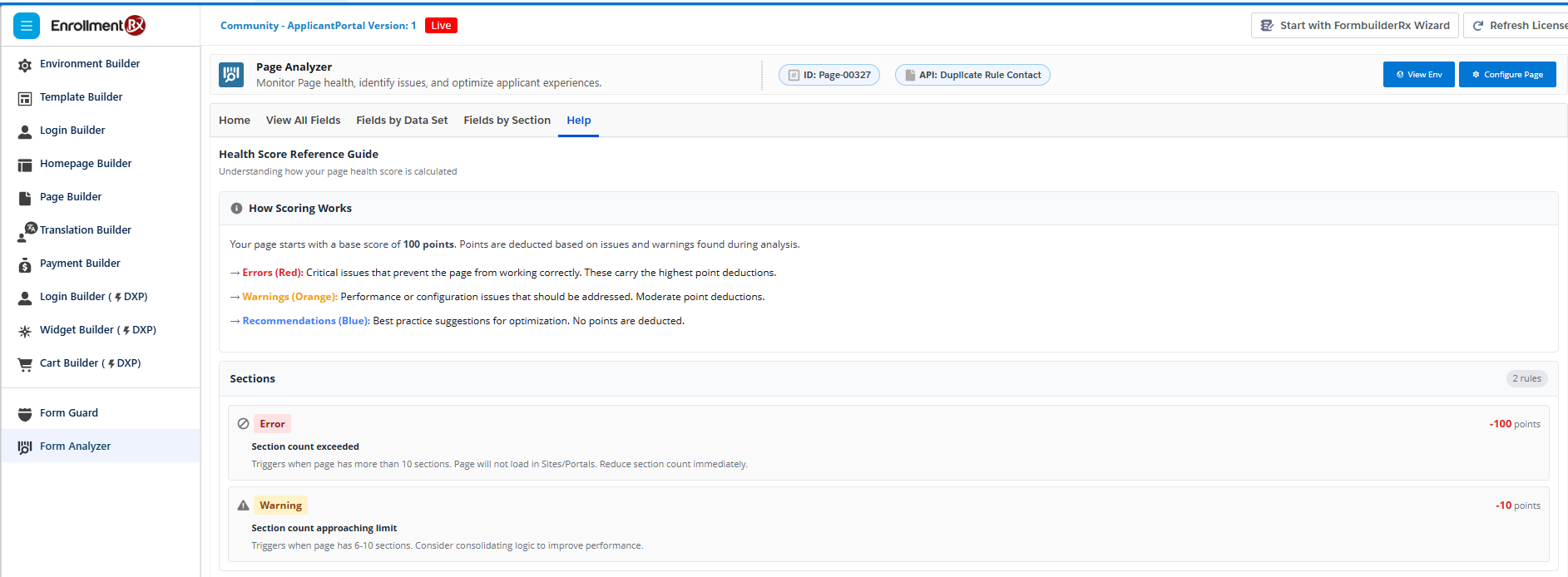
The Help information includes:
- Health score calculation
- Error rules
- Warning rules
- Recommendation rules
- Point deductions