About 2026 Release 1
Overview
This release introduces an enhancement to Reader Rx that provides greater administrative control and enhanced functionality.
Configurable 'Submit Application' Button
We've introduced a major enhancement that grants administrators complete control over which users can submit applications via the Submit Application button on the review screen. Previously, this access was not configurable, which limited administrators' ability to manage submission rights based on user roles or specific business needs.
- For Salesforce Classic users, install the latest 2026 Release 1 version of Reader (currently 8.2).
- For Lightning users, install both the latest release version of Reader and DXP 2026 Release 1 (currently 8.15).
Implementation Overview
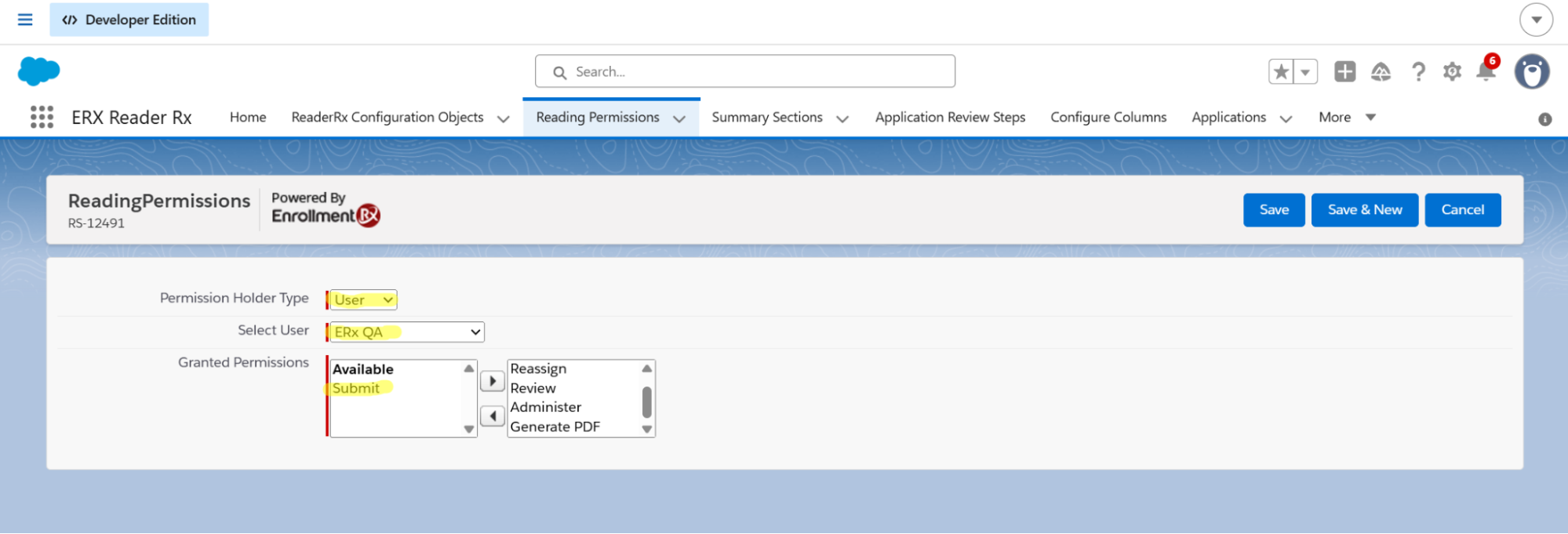
A new "Submit" permission value has been introduced within the "Reading Permission" object. The permission is inactive by default and must be explicitly enabled by an administrator.
Application Behavior
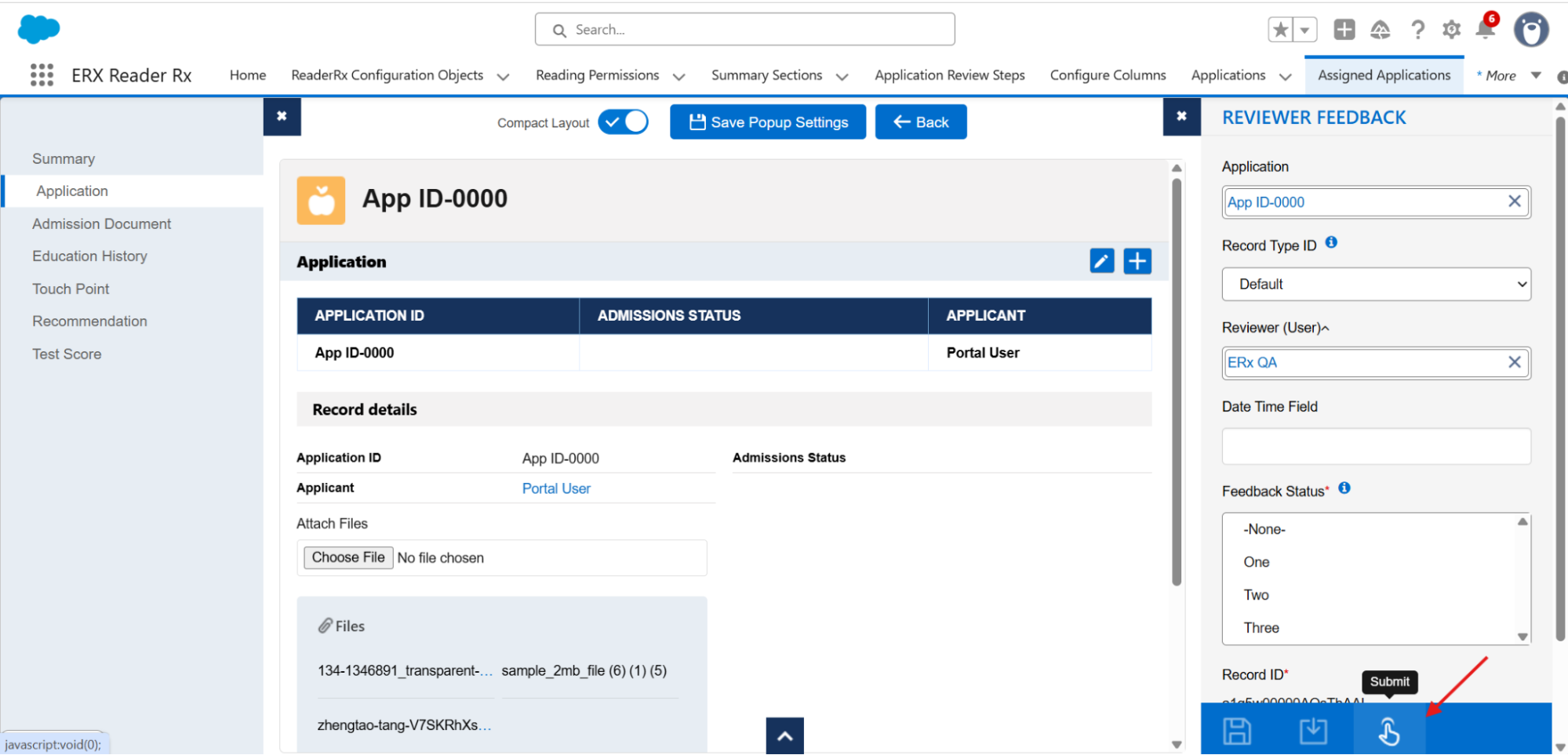
- If a user has the permission, the Submit Application button will be
visible and enabled, allowing them to successfully submit the application.
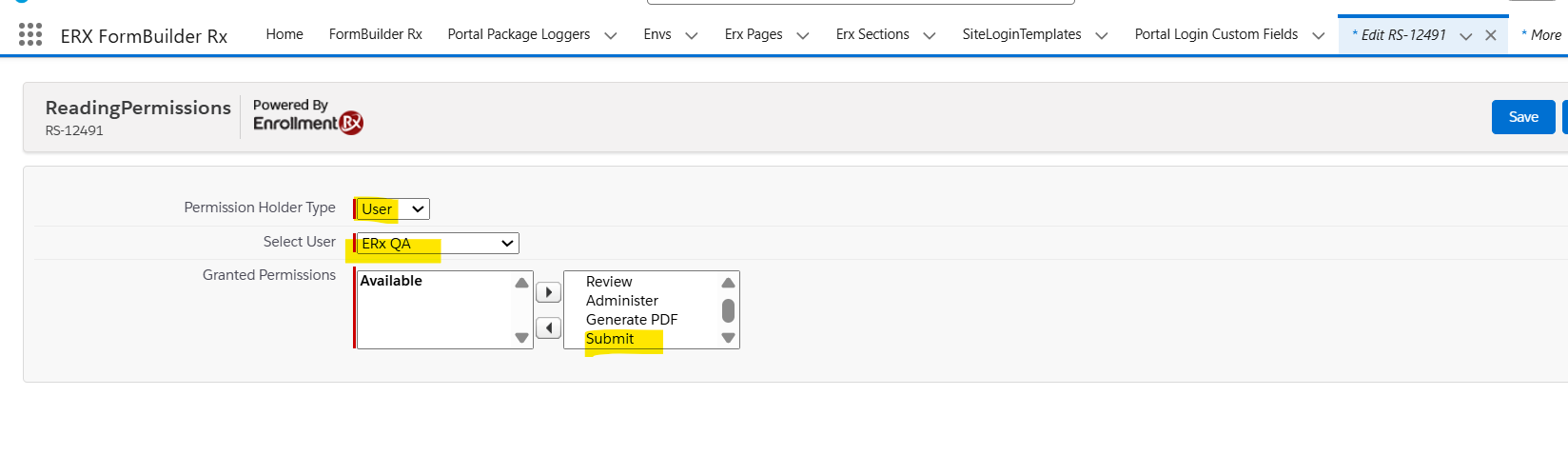
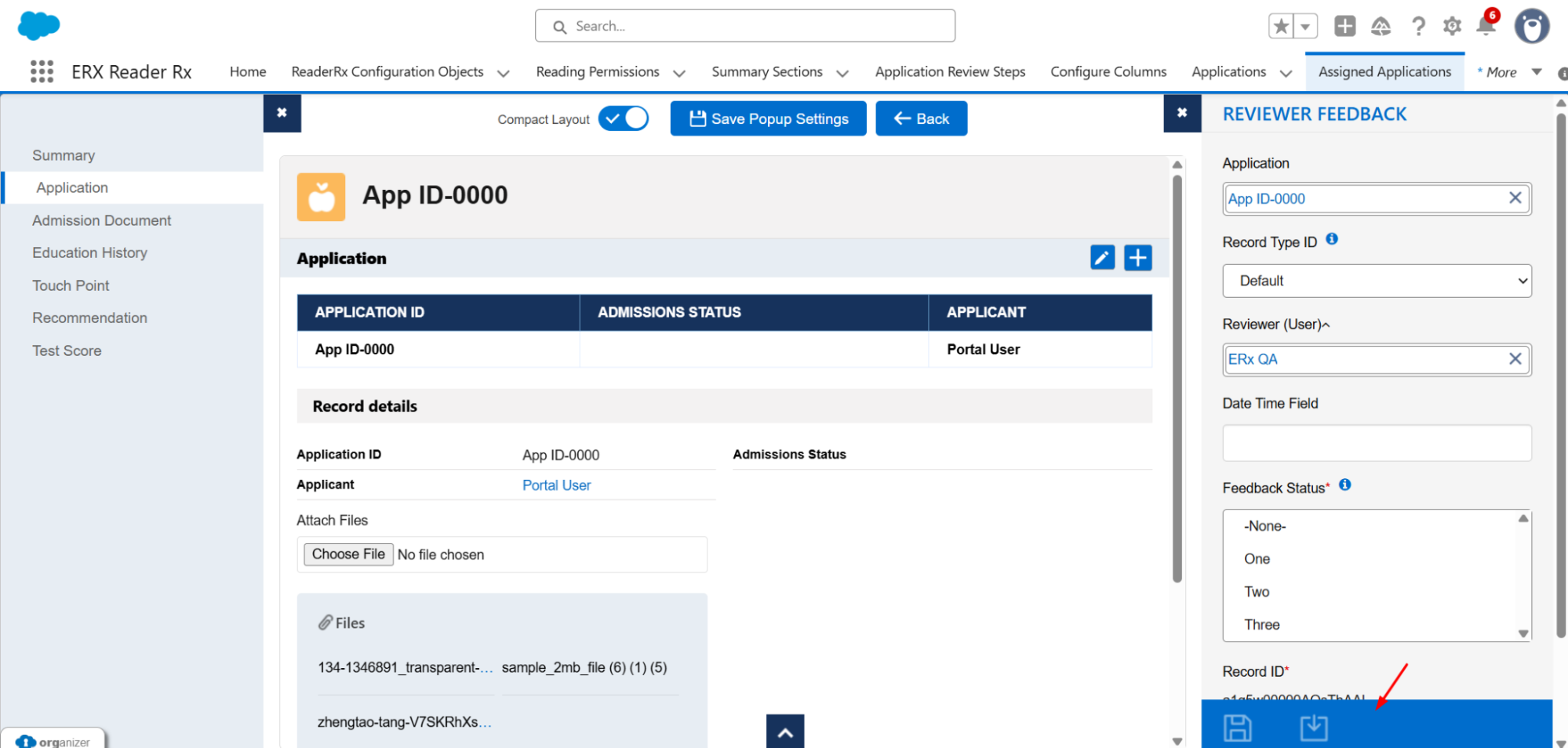
- If a user does not have the permission, the button will be hidden or
disabled, ensuring that only authorized users can complete the submission
process through the interface.