

Installation Links and Instructions
Upgrading to the Latest Version Reader Rx
If you are upgrading to the newest release of Reader Rx, use the package installation links below.
Note:
If you are installing Reader Rx for the first time, go to the Introduction & Setup
section.
Installation Links
Version 8.2, released April 2, 2026
Post-Installation Steps
These steps are required to activate the new configurable application submission control and ensure the enhancement is available for assignment to users. Please note that Lightning users must also install 2026 Release 1 of DXP (currently v8.15) to enable this feature.
- Access the Setup menu in your Salesforce org.
- In the Quick Find box, search for and select Object Manager.
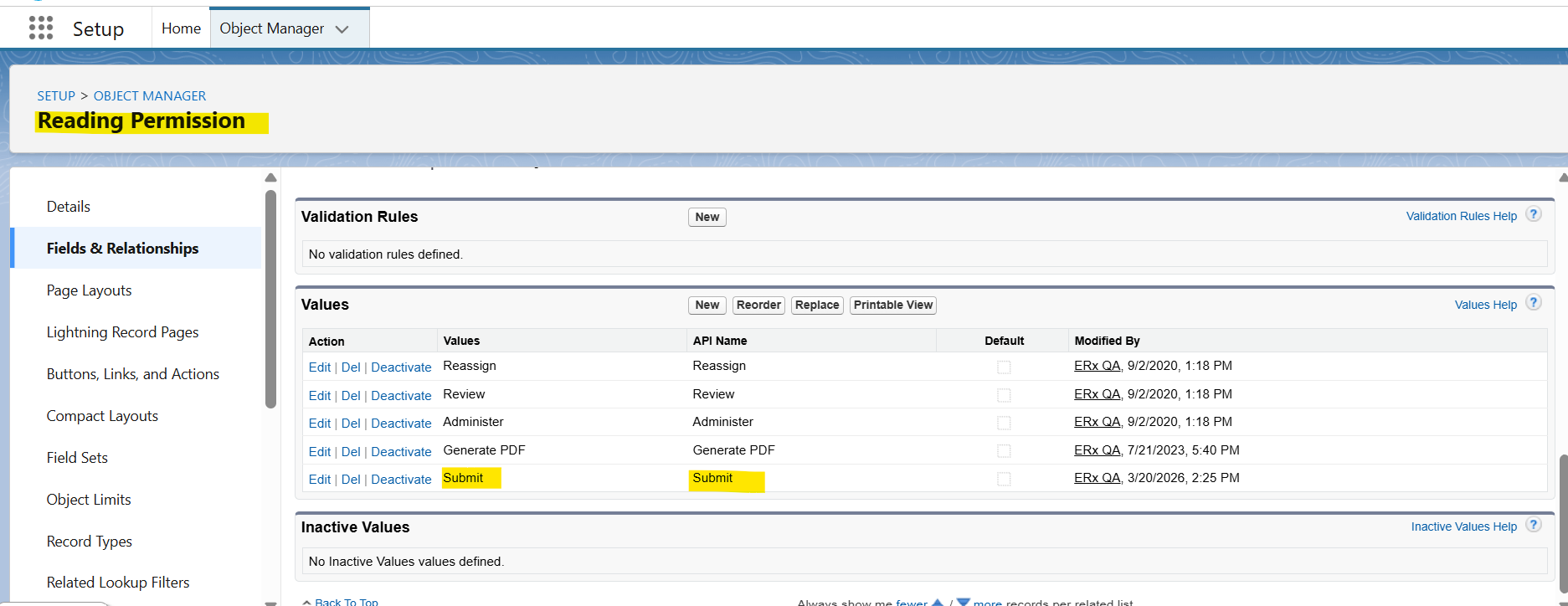
- Locate and select the Reading Permission object.
- From the sidebar menu, navigate to Fields & Relationships.
- Select the Granted Permissions field.
- Scroll to the "Values" list and ensure the Submit value is activated.
Sandbox Refresh: Updating the Remote Site Settings
Note:
To update the remote site settings, please click
here for instructions.