

FormGuard
Overview
FormGuard is a built-in protection layer within FormBuilder Rx that evaluates form activity for suspicious or abusive behavior before data enters Salesforce. It analyzes signals such as IP address and geographic location, automated browser behavior, unusually fast or repeated submissions, duplicate content, and other interaction patterns.
Based on configurable rules and risk scores, FormGuard can allow the end user to
continue, present a reCAPTCHA challenge, or block the request. FormGuard also
records activity details so administrators can review incidents, adjust protection
settings, and help prevent fraudulent or low-quality submissions from creating
unnecessary Salesforce data or triggering automation.
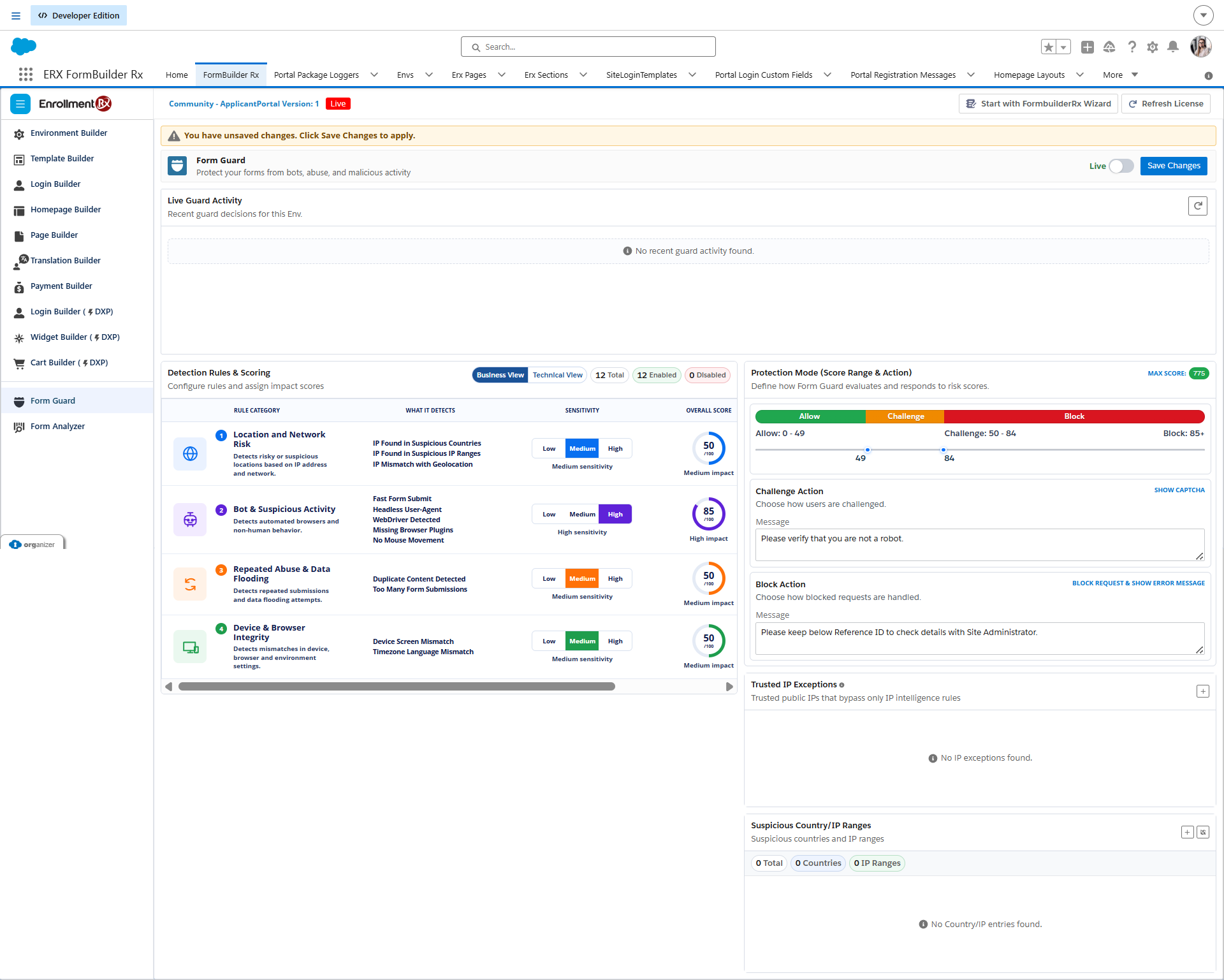
Business View and Technical View
FormGuard provides two views for reviewing and managing protection.
- Business View shows simplified protection categories, sensitivity, average score, and expected action. Use Business View for an administrator-level summary of the current FormGuard configuration. This is the default view.
- Technical View shows each detection rule, score, evaluation context, impact, and enabled state. Use Technical View for detailed rule configuration and review.
FormGuard Topics
Use the following topics to configure, review, and validate FormGuard:
- FormGuard Setup and Configuration explains required permissions, FormGuard controls, Protection Mode, and Live Guard Activity.
- FormGuard Rule Book describes the available detection rules, what each rule detects, and any required configuration.
- FormGuard Activity and End User Experience explains the Allow, Challenge, and Block experience and provides guidance for validating end-user behavior.
- The Rule-by-Rule Testing Guide explains how to test individual FormGuard rules and confirm the expected results before applying them to live traffic.