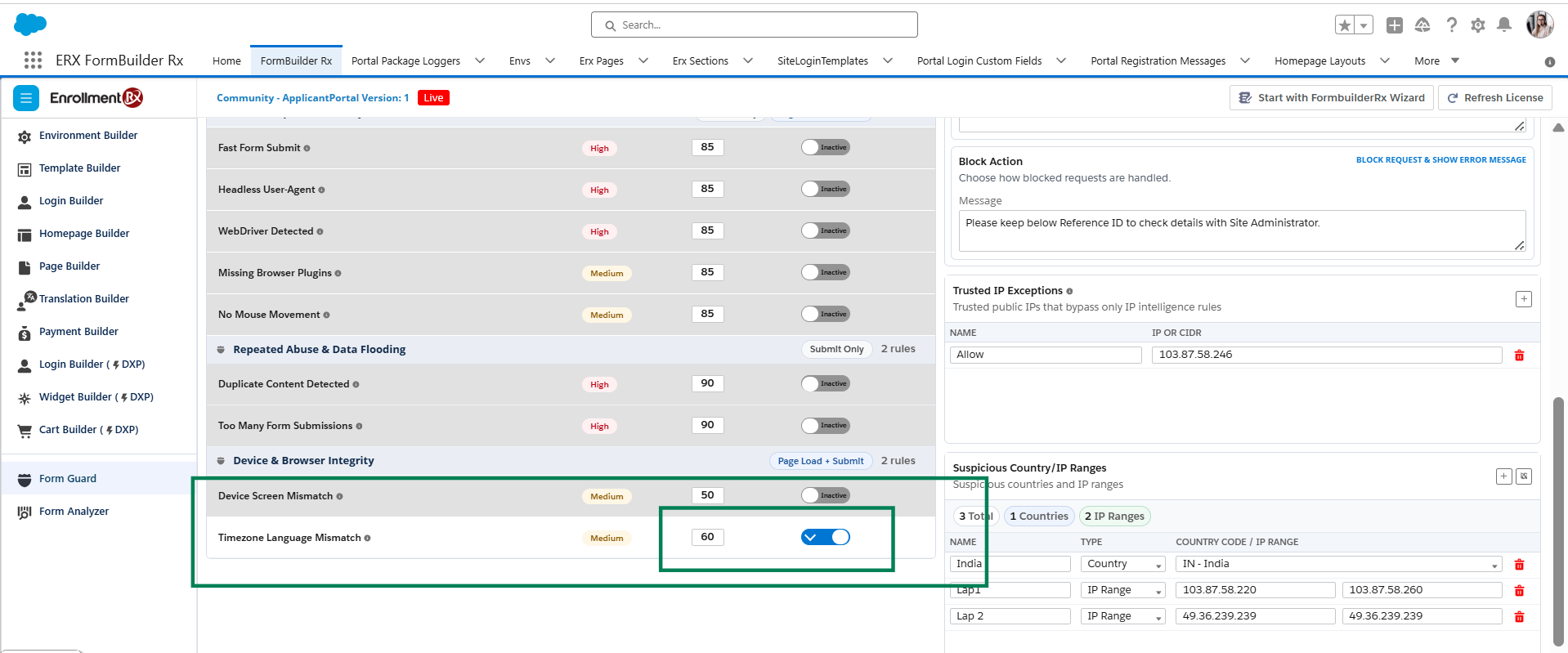
FormGuard Rule Book
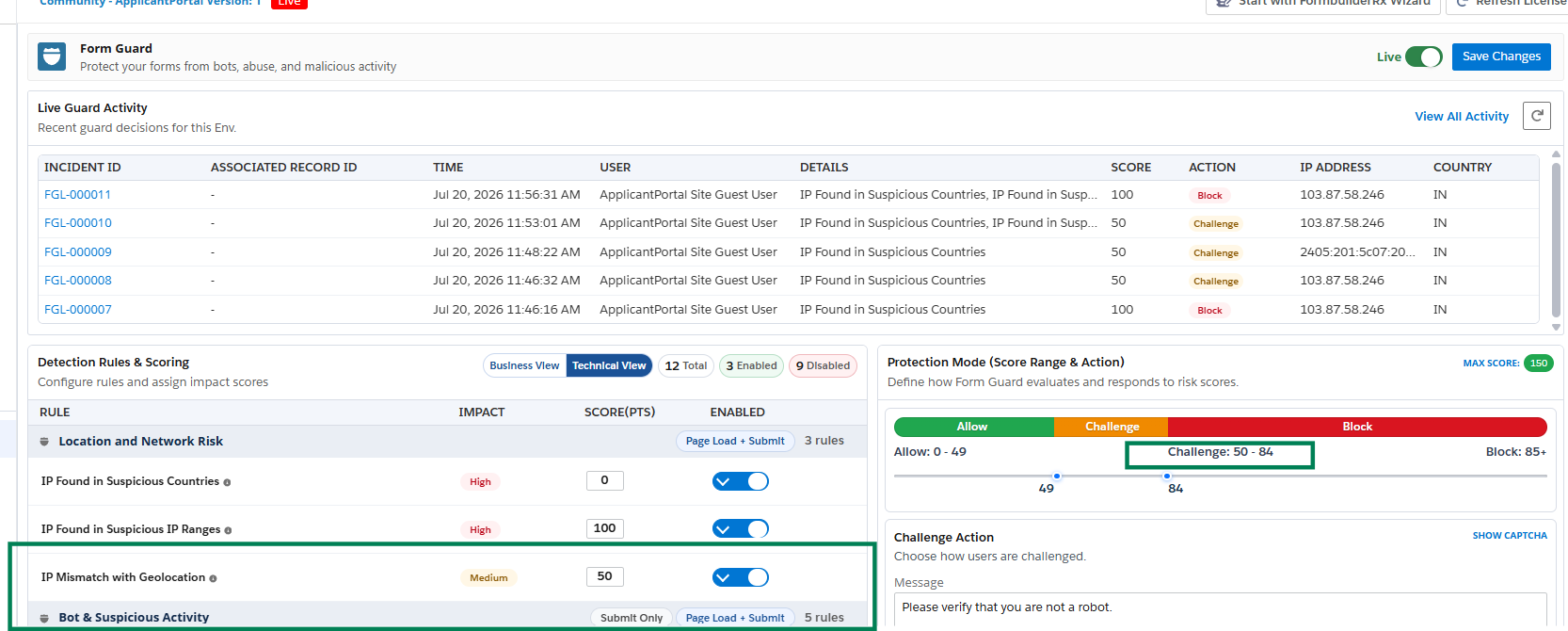
Configure the score for each FormGuard rule in Technical View. A rule contributes its configured score only when it is enabled and triggered. The final action depends on the combined score and the configured Protection Mode range.
Rule Catalog
The following table summarizes the detection rules documented for FormGuard, what each rule detects, and any required setup.
| Category | Rule | What It Detects | Required Setup |
|---|---|---|---|
| Location and Network | IP Found in Suspicious Countries | Adds risk when the detected IP country matches a configured suspicious country. | Add the country code under Suspicious Country/IP Ranges, configure the score, and enable the rule. |
| Location and Network | IP Found in Suspicious IP Ranges | Adds risk when the detected IP falls within a configured public IP range. | Add the applicable IPv4 and IPv6 ranges, configure the score, and enable the rule. |
| Location and Network | IP Mismatch with Geolocation | Compares IP-derived location with the browser or device geolocation. | Configure the score and enable the rule. Browser location permission must be allowed during validation. |
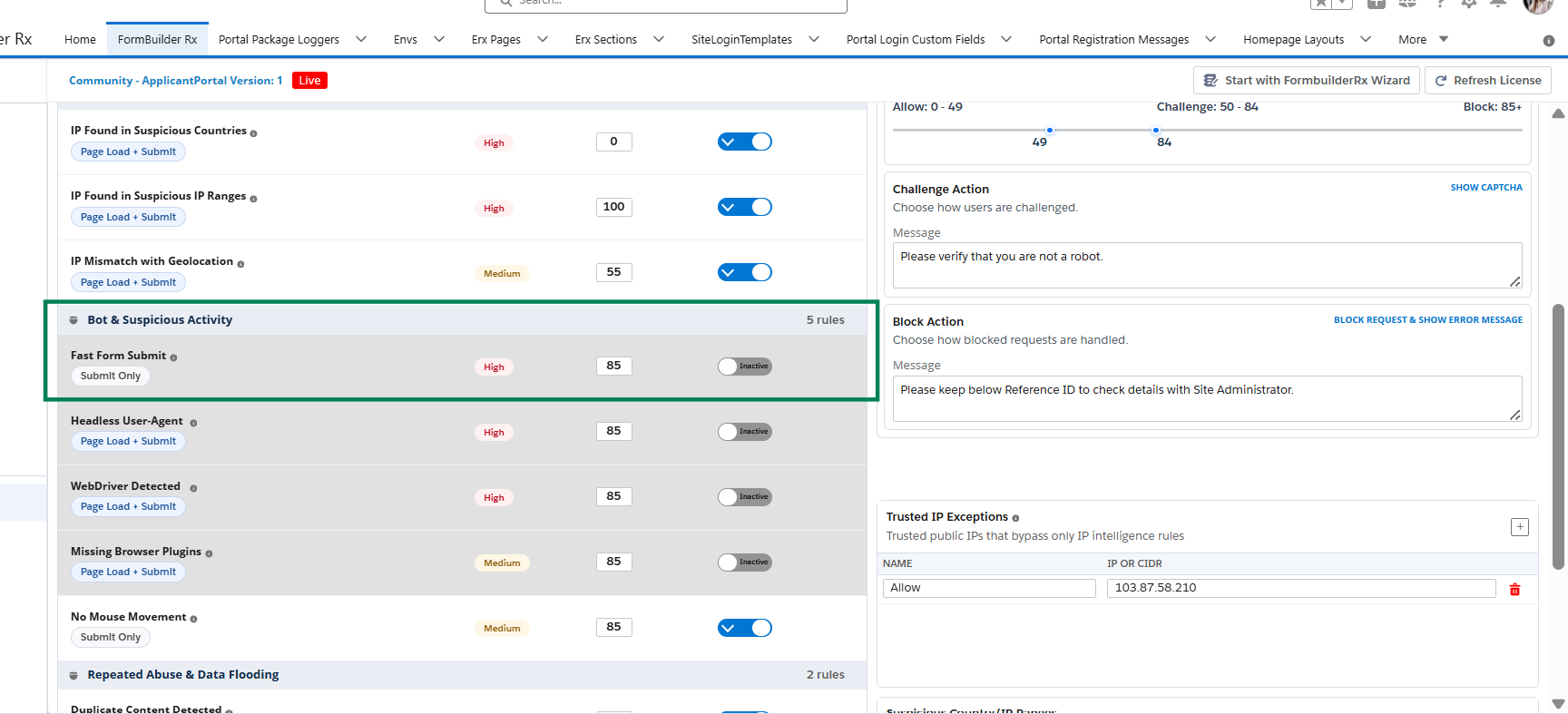
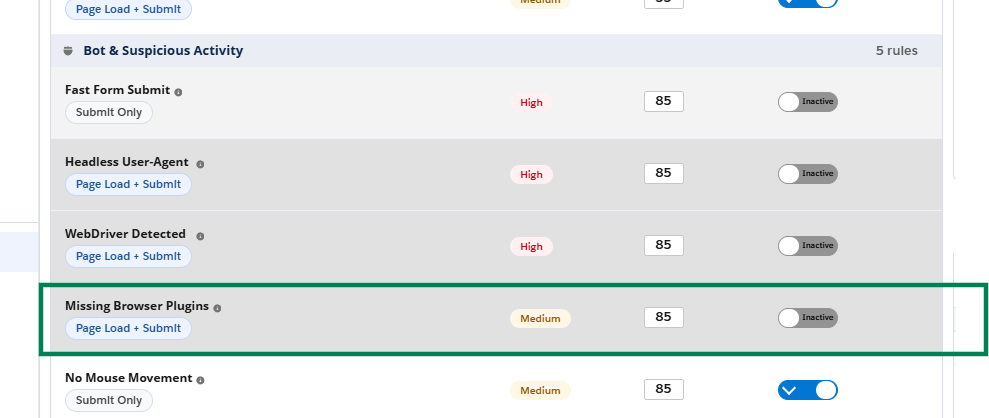
| Bot and Suspicious Activity | Fast Form Submit | Detects submission faster than the configured human-interaction threshold. | Configure the score and test with controlled browser automation. |
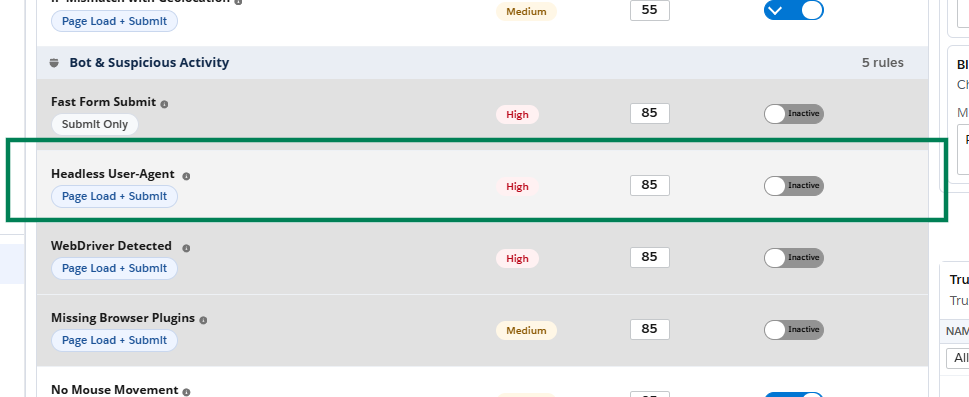
| Bot and Suspicious Activity | Headless User-Agent | Detects a headless or automation-oriented User-Agent pattern. | Configure the score and test in an approved automation environment. |
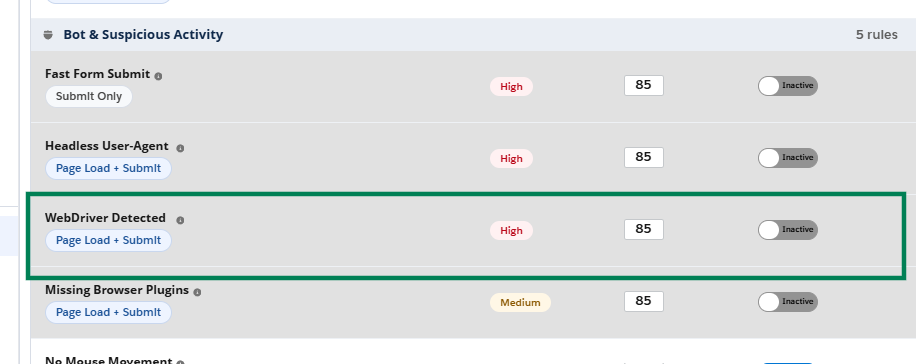
| Bot and Suspicious Activity | WebDriver Detected | Detects browser WebDriver signals. | Configure the score and test with Selenium or Playwright. |
| Bot and Suspicious Activity | Missing Browser Plugins | Detects an unusual absence of expected browser plugin information. | Configure the score and test using an approved browser override. |
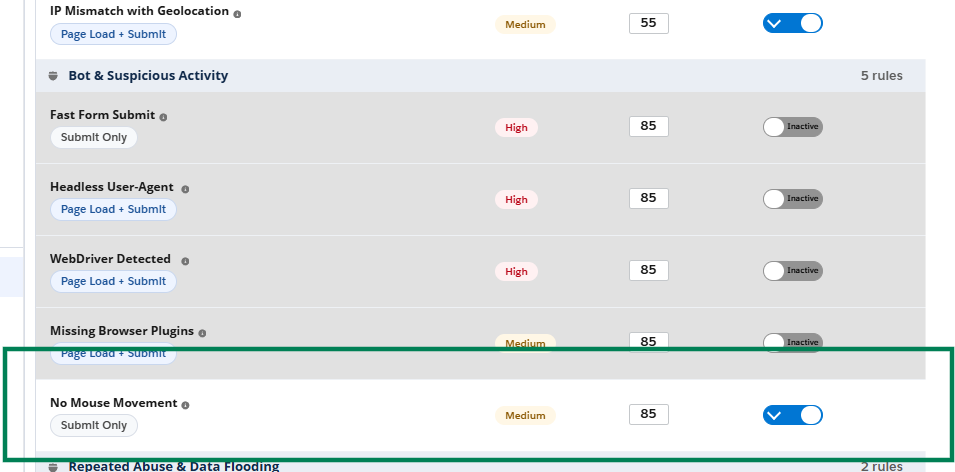
| Bot and Suspicious Activity | No Mouse Movement | Detects a submission without mouse or comparable user interaction. | Configure the score and test with automation that avoids interaction events. |
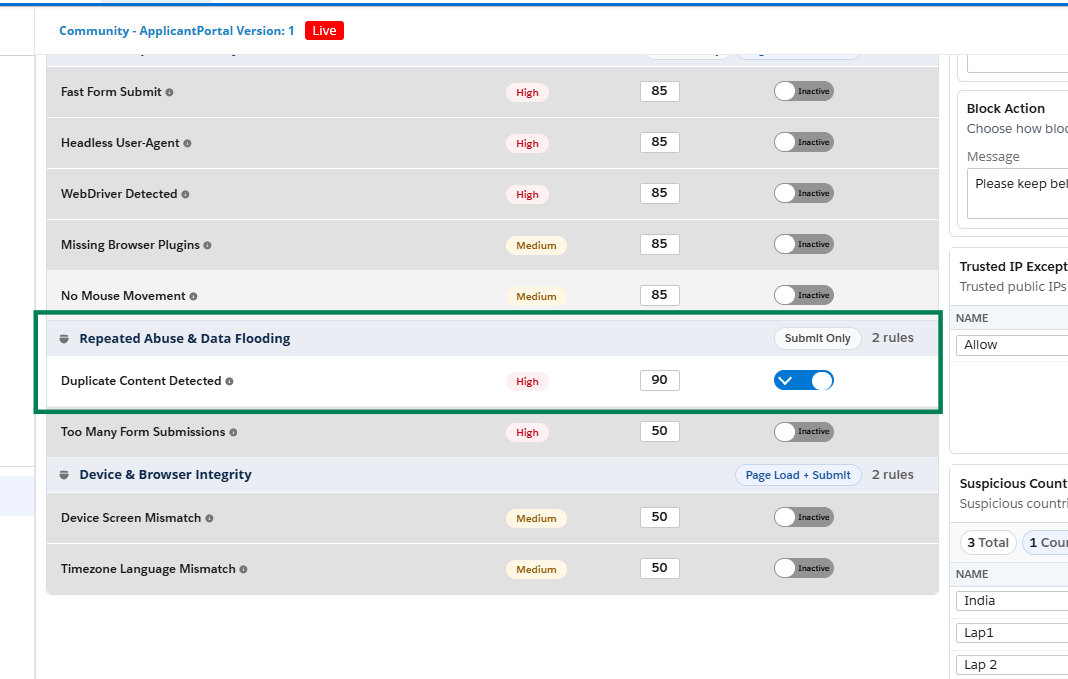
| Repeated Abuse and Data Flooding | Duplicate Content Detected | Detects repeated submission of the same normalized page data. | Configure the page duplicate rule, configure the score, and submit identical data again within the retention period. |
| Repeated Abuse and Data Flooding | Too Many Form Submissions | Detects multiple form submissions within a short time span. | Configure the score and test repeated submissions from the same browser within the configured evaluation period. |
| Device and Browser Integrity | Device Screen Mismatch | Detects unusual screen, viewport, User-Agent, or touch-signal combinations. | Configure the score and test with controlled viewport or device simulation. |
| Device and Browser Integrity | Timezone Language Mismatch | Detects configured language and timezone combinations that do not match the expected region. | Configure the score and test with controlled browser language and timezone settings. |
Suspicious Countries and IP Ranges
- Scroll to Suspicious Country/IP Ranges and select the add (+) control.
- Enter a meaningful name.
-
Select Country or IP Range.
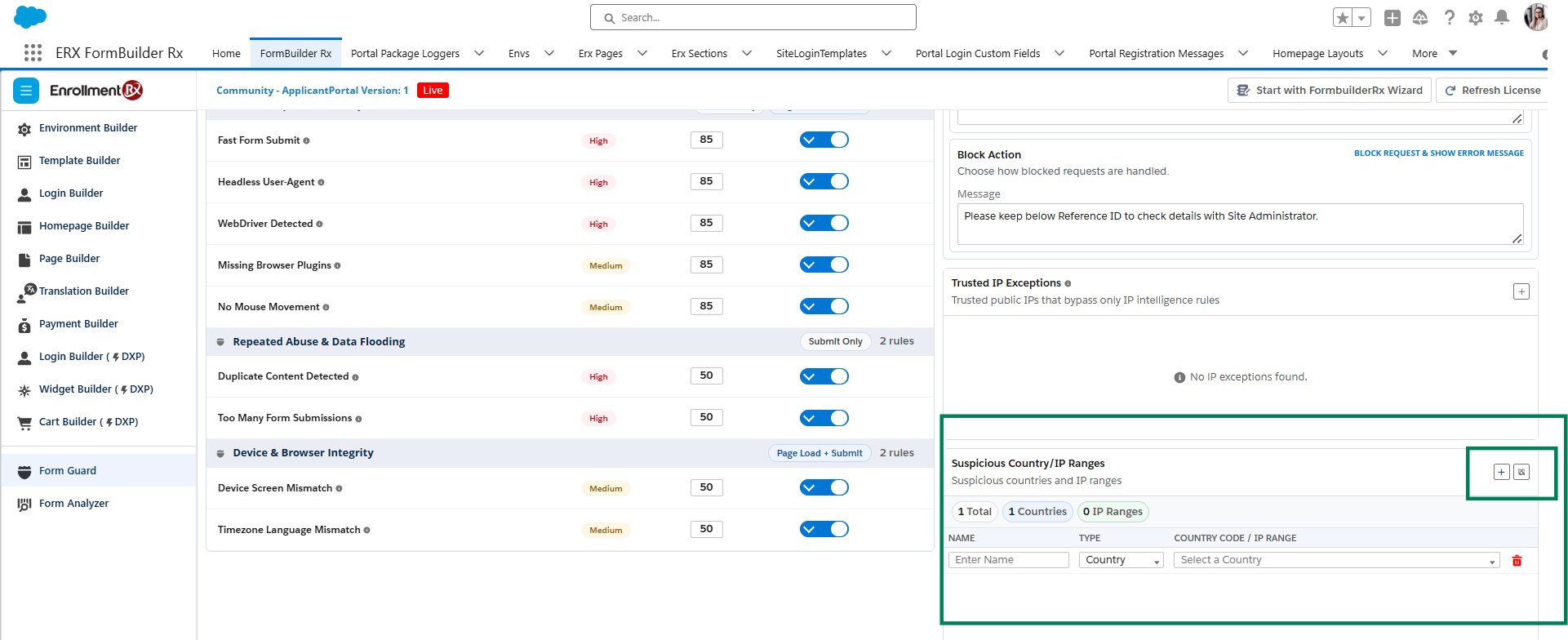
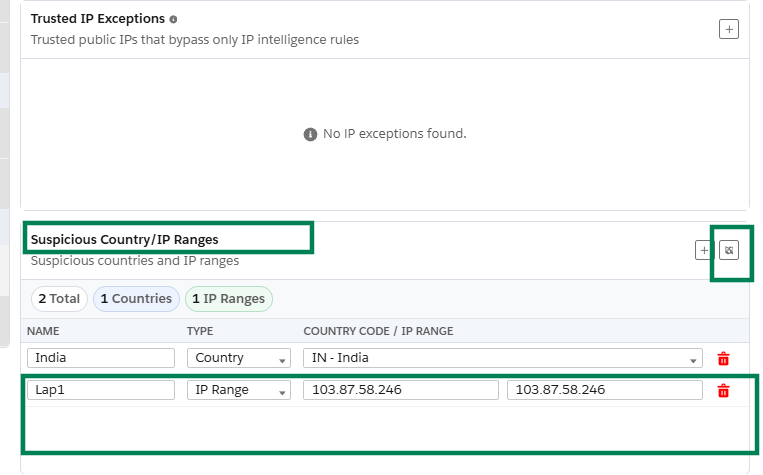
- Enter the ISO country code or approved public Internet Protocol (IP) or Classless Inter-Domain Routing (CIDR) range.
- Save the entry, configure the corresponding rule score, enable the rule, and select Save Changes.
- Run a controlled test from the matching country or public IP.
Trusted IP Exceptions
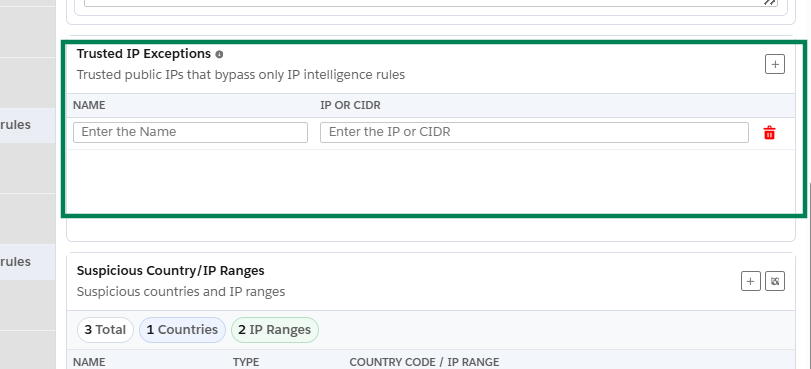
- Confirm the public IP address or range with the appropriate network or security team.
- Add the entry under Trusted IP Exceptions with a clear business name.
- Save the changes.
- Test from the trusted network and confirm that the applicable IP rule does not contribute risk.
- Remove temporary test exceptions after validation.
IP Mismatch with Geolocation
This rule runs on page load and form submit. It compares the user's IP-derived location with the location reported by the browser.
If browser location is unavailable or the country cannot be detected, the rule does not trigger. Trusted IP Exceptions bypass this rule. Browser location permission must therefore be allowed when validating the rule.
Bot and Suspicious Activity Rules
Use controlled test automation only in a sandbox or approved quality assurance (QA) environment.
These rules monitor browser and interaction signals such as Fast Form Submit, Headless User-Agent, WebDriver Detected, Missing Browser Plugins, and No Mouse Movement. When one or more enabled conditions are detected, the applicable rule score contributes to the combined FormGuard score.
| Test Tool | Purpose | Safe Validation Approach |
|---|---|---|
| Selenium / Playwright | Create headless, WebDriver, fast-submit, plugin, interaction, viewport, and language/timezone scenarios. | Use a non-production FormBuilder Rx URL, dedicated QA records, and a test IP address that is not shared with real users. |
| Normal browser | Confirm legitimate users are not challenged or blocked unexpectedly. | Use Chrome, Edge, and Firefox with normal interaction and realistic completion time. |
Duplicate Content Detection
Duplicate Content Detected runs on form submit and compares submitted page data with previous submissions. Submission history is retained for 24 hours and is not reset by refreshing the page or opening a new browser tab.
- Configure the applicable duplicate rule on the FormBuilder Rx page.
- Enable Duplicate Content Detected and assign a score.
- Submit a controlled test record.
- Reopen or reload the page and submit the same field values.
- Confirm that the duplicate rule contributes the configured score and that the expected action is applied.
Device and Browser Integrity
Tune Device Screen Mismatch and Timezone Language Mismatch carefully. Legitimate end users can use remote desktops, browser zoom, language packs, virtual private networks (VPNs), or accessibility tools that affect these signals.