

2026 Release 1 Enhancements
Overview
This release enhances the Shopping Cart experience with improved product discovery, flexible product display configuration, enhanced navigation options, and an expanded guest checkout experience.
Product List Sorting
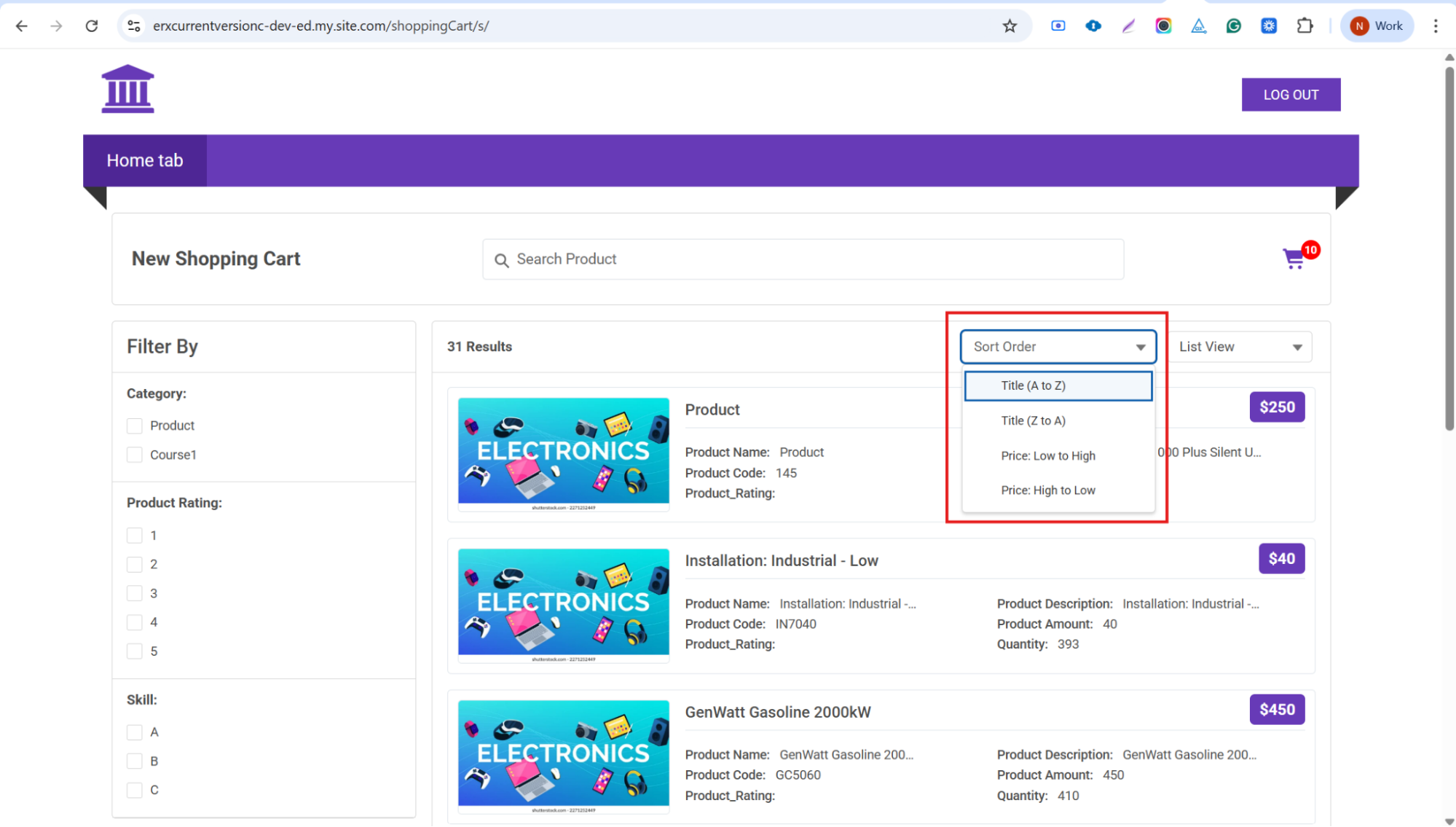
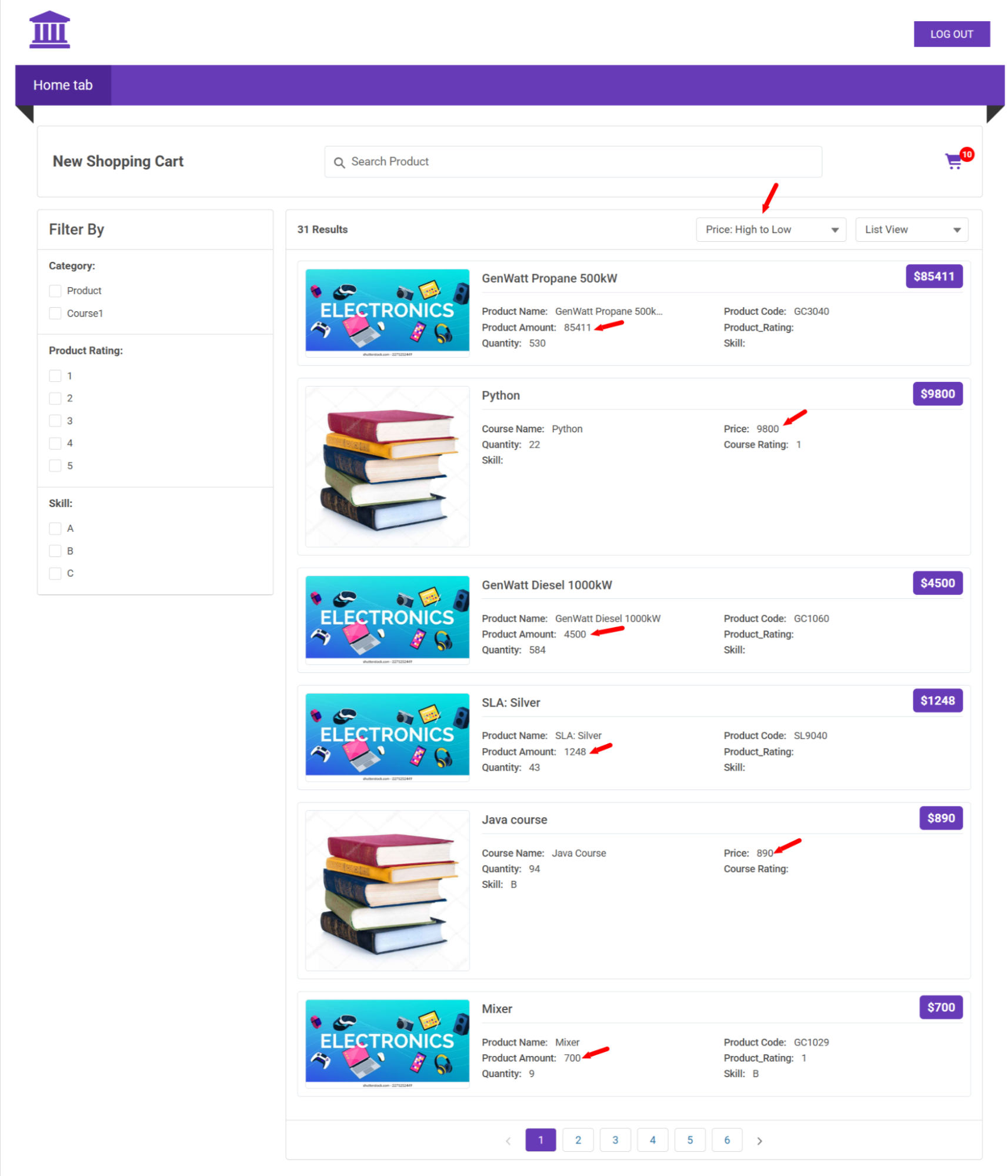
- A new Sort Order button provides four sorting options for the product
list page:
- Title (A to Z)
- Title (Z to A)
- Price: Low to High
- Price: High to Low
- Selecting a sort option immediately updates the product list display.
- Examples:
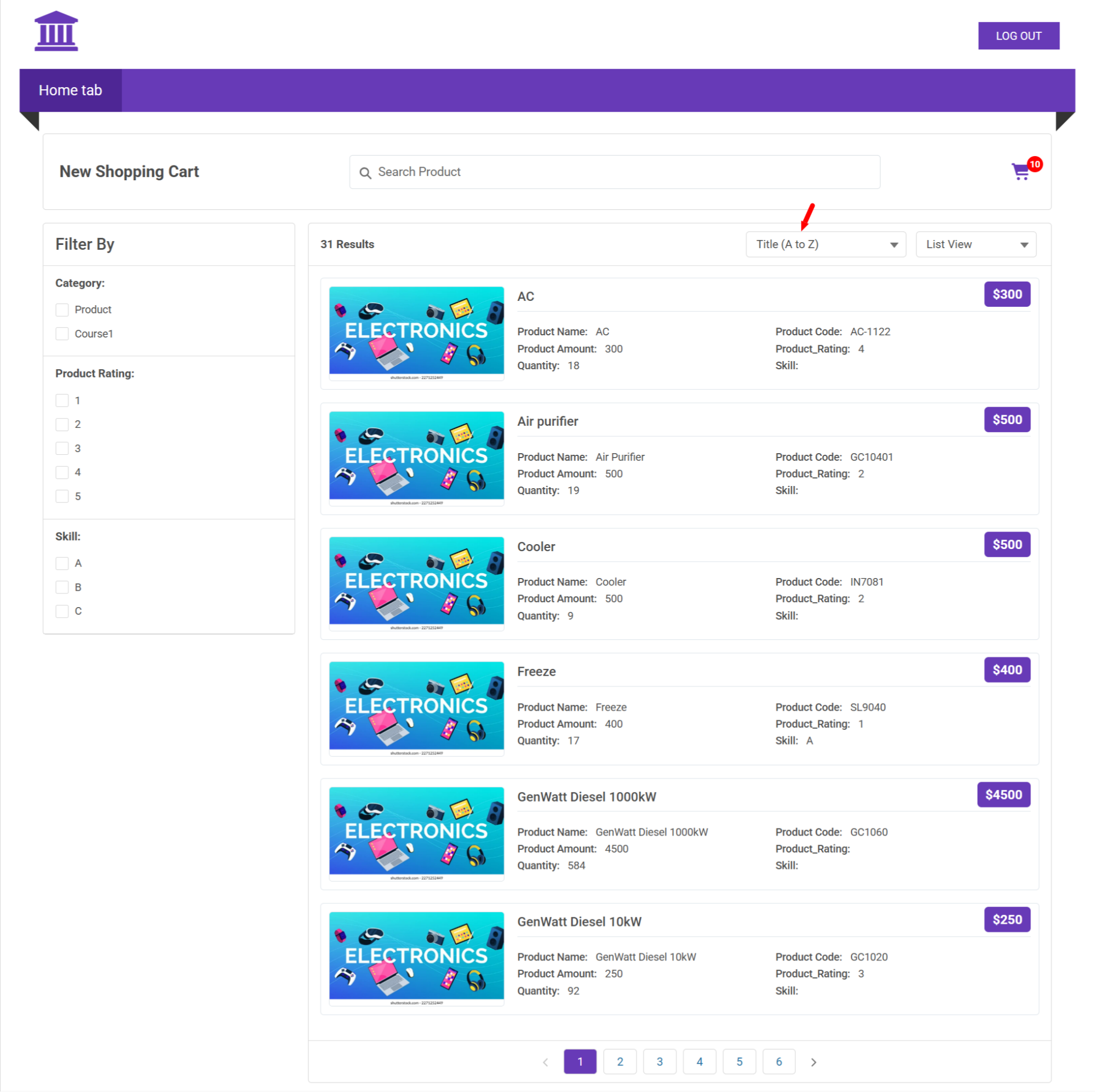
- Title (A to Z)
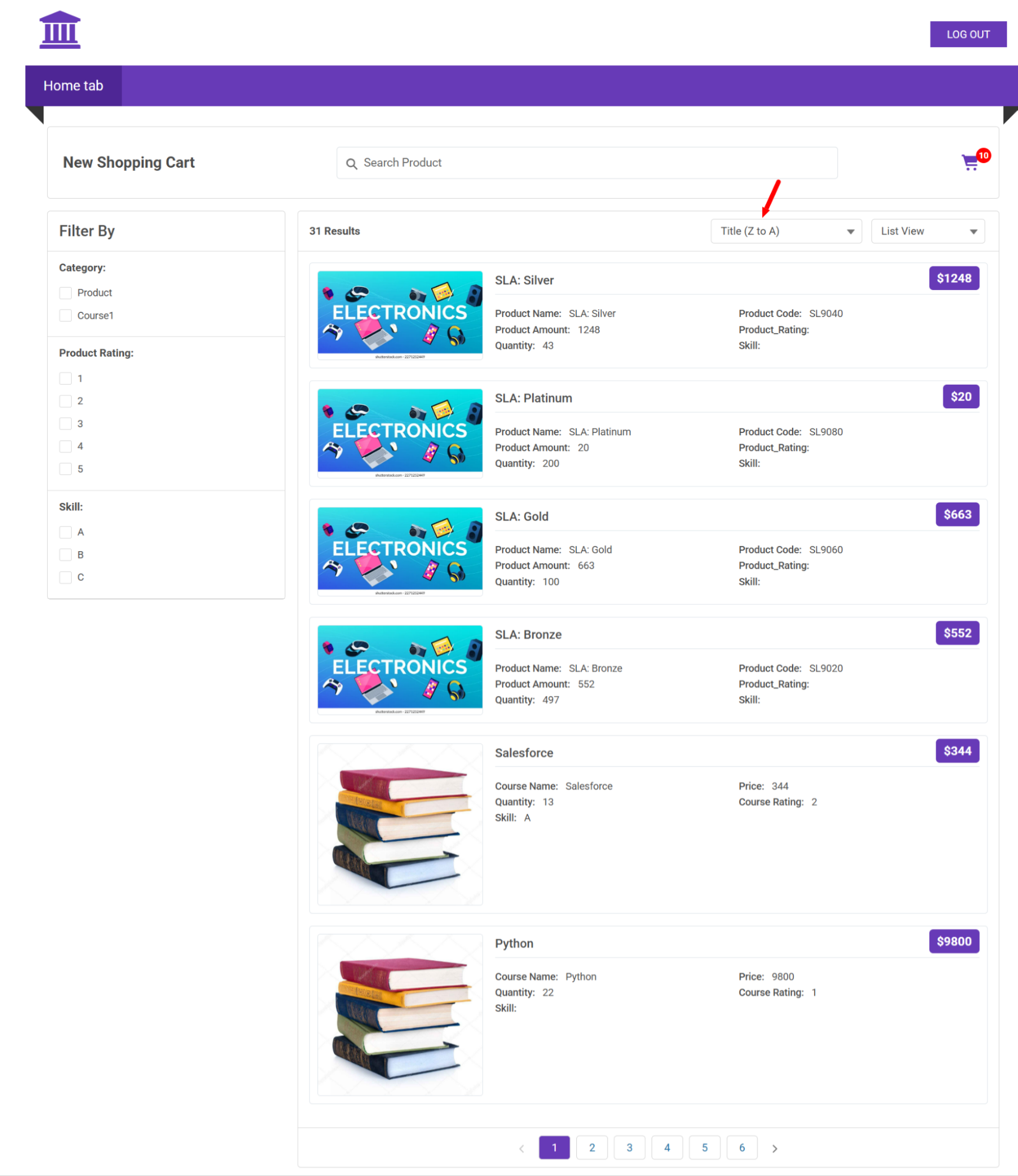
- Title (Z to A)
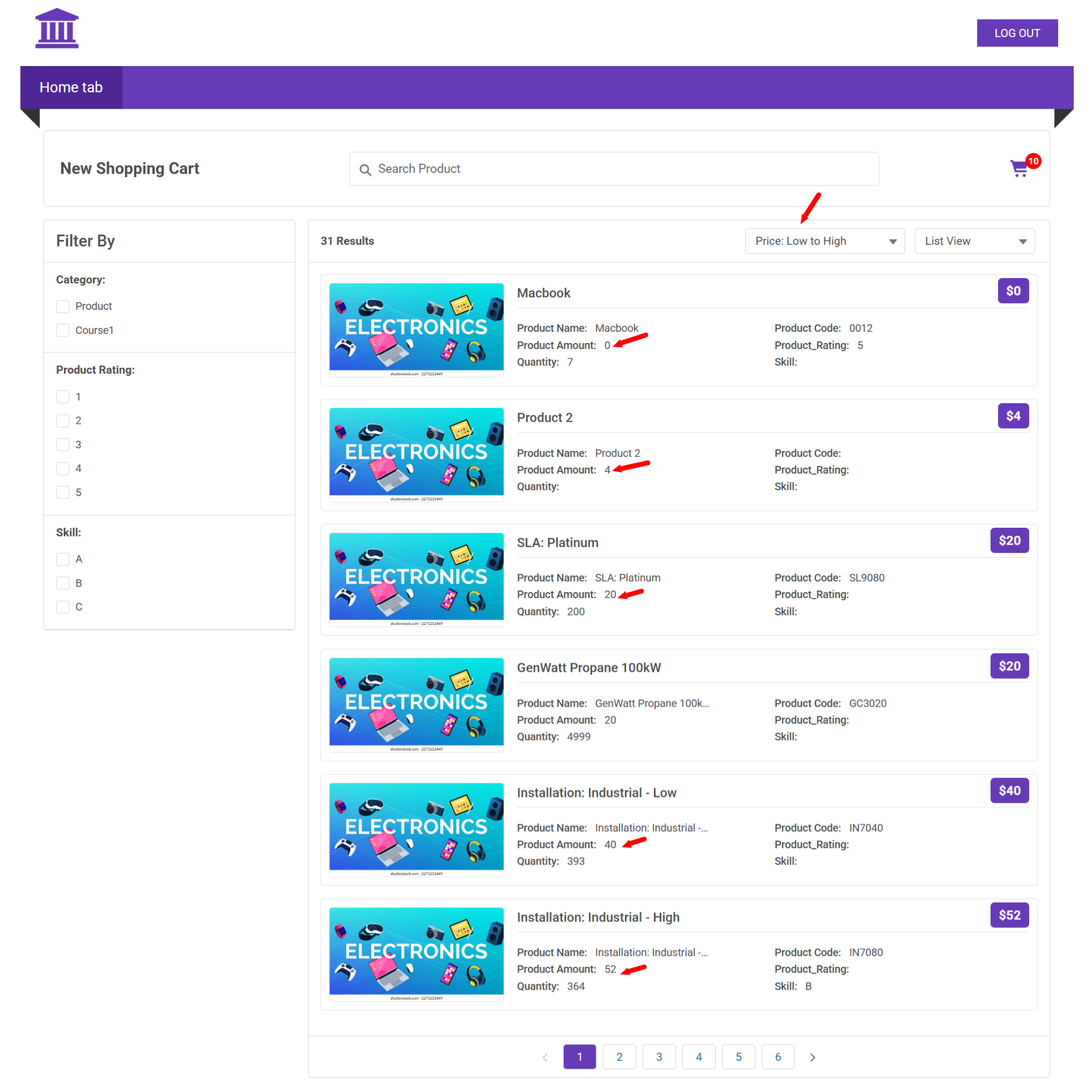
- Price: Low to High
- Price: High to Low
- Title (A to Z)
Configurable Field Selection
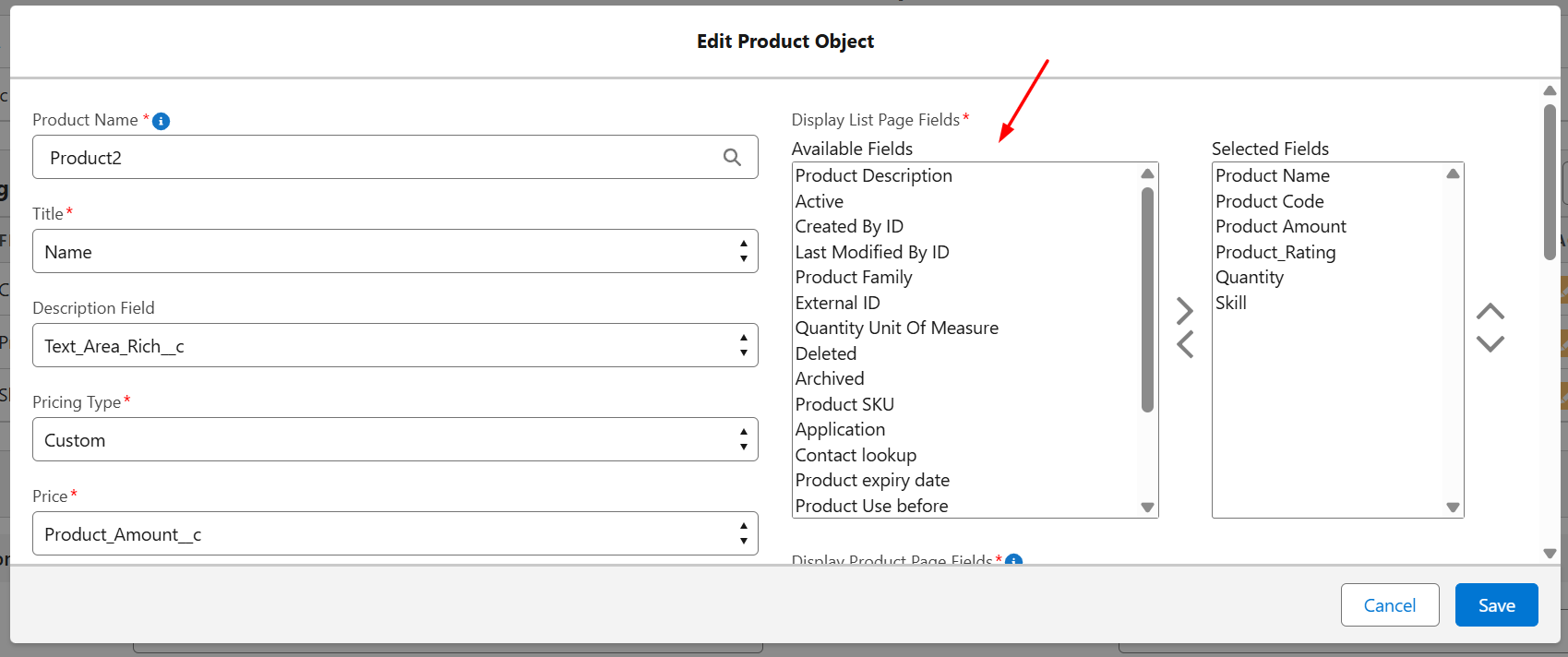
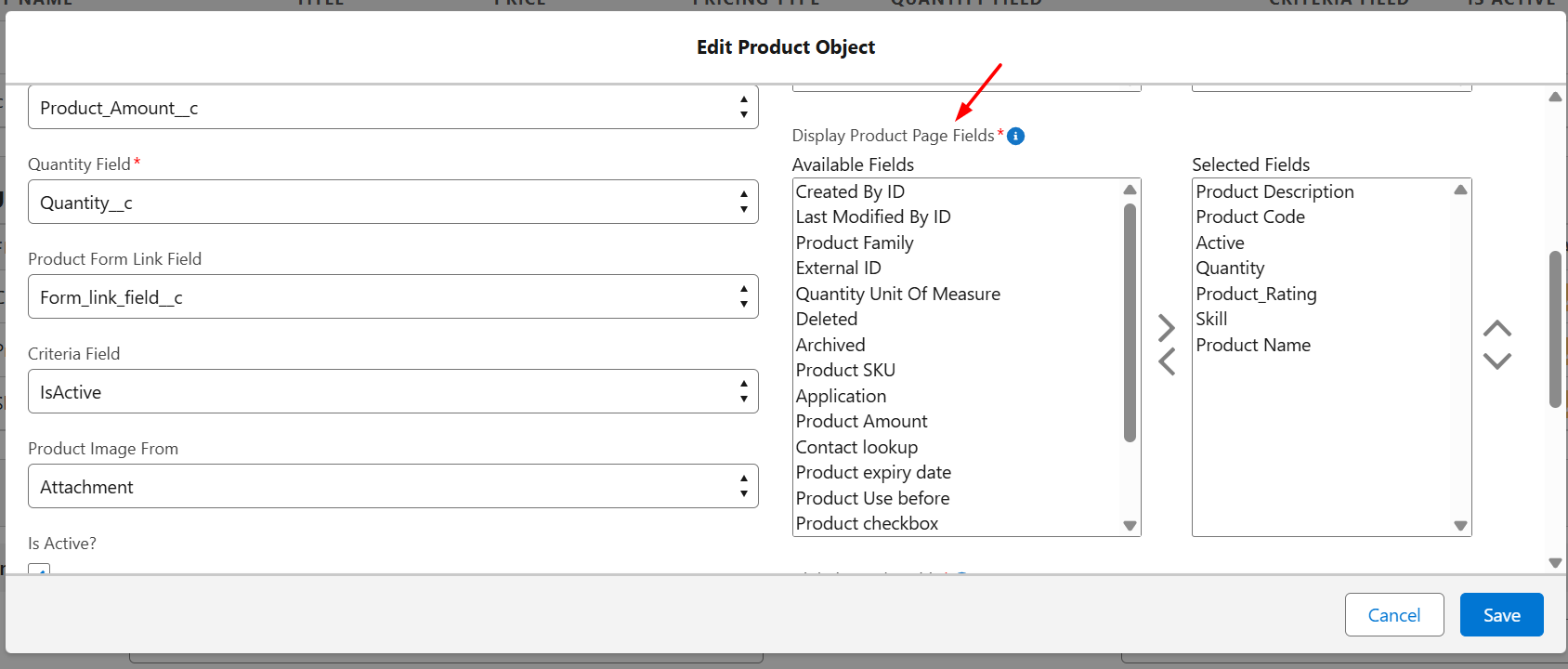
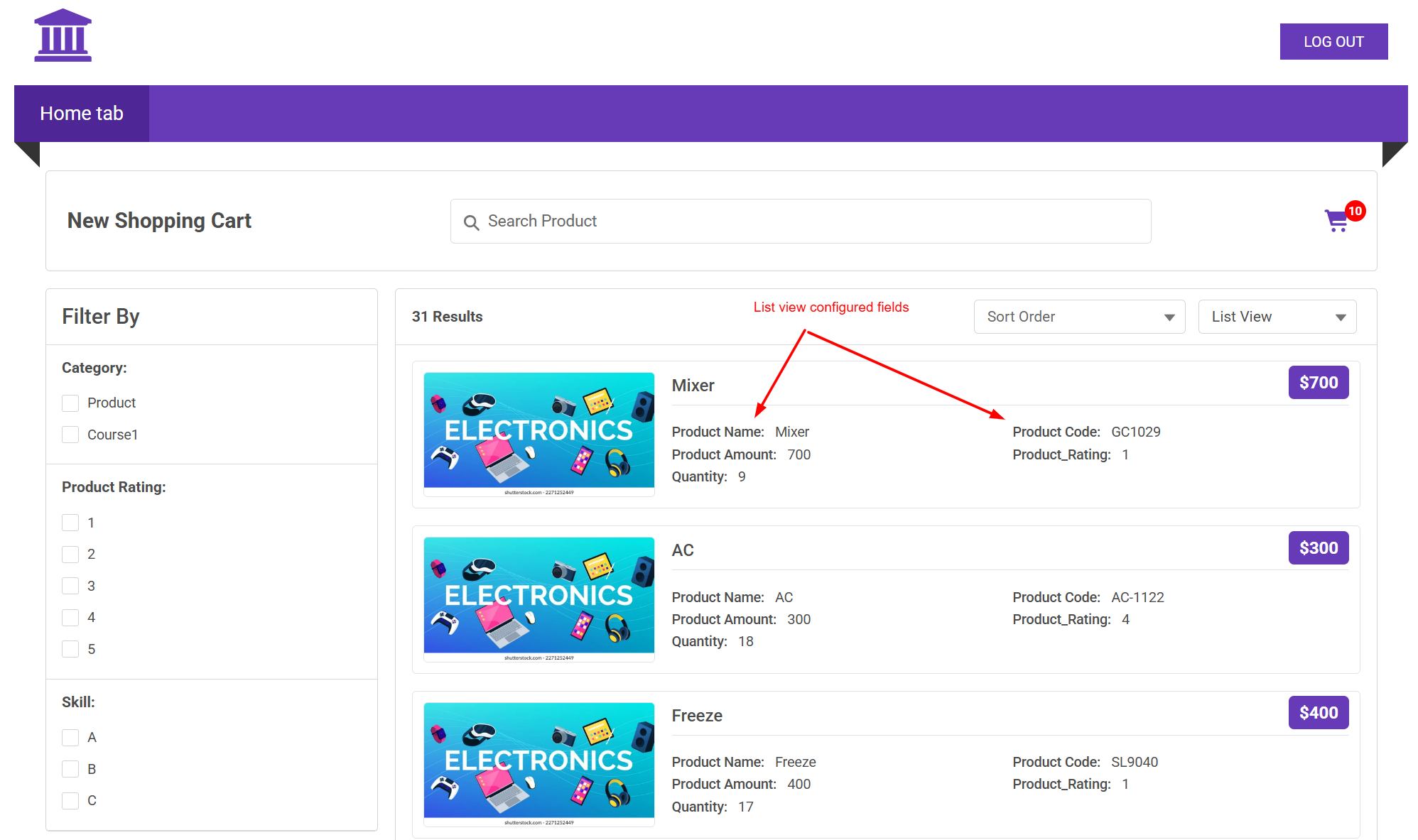
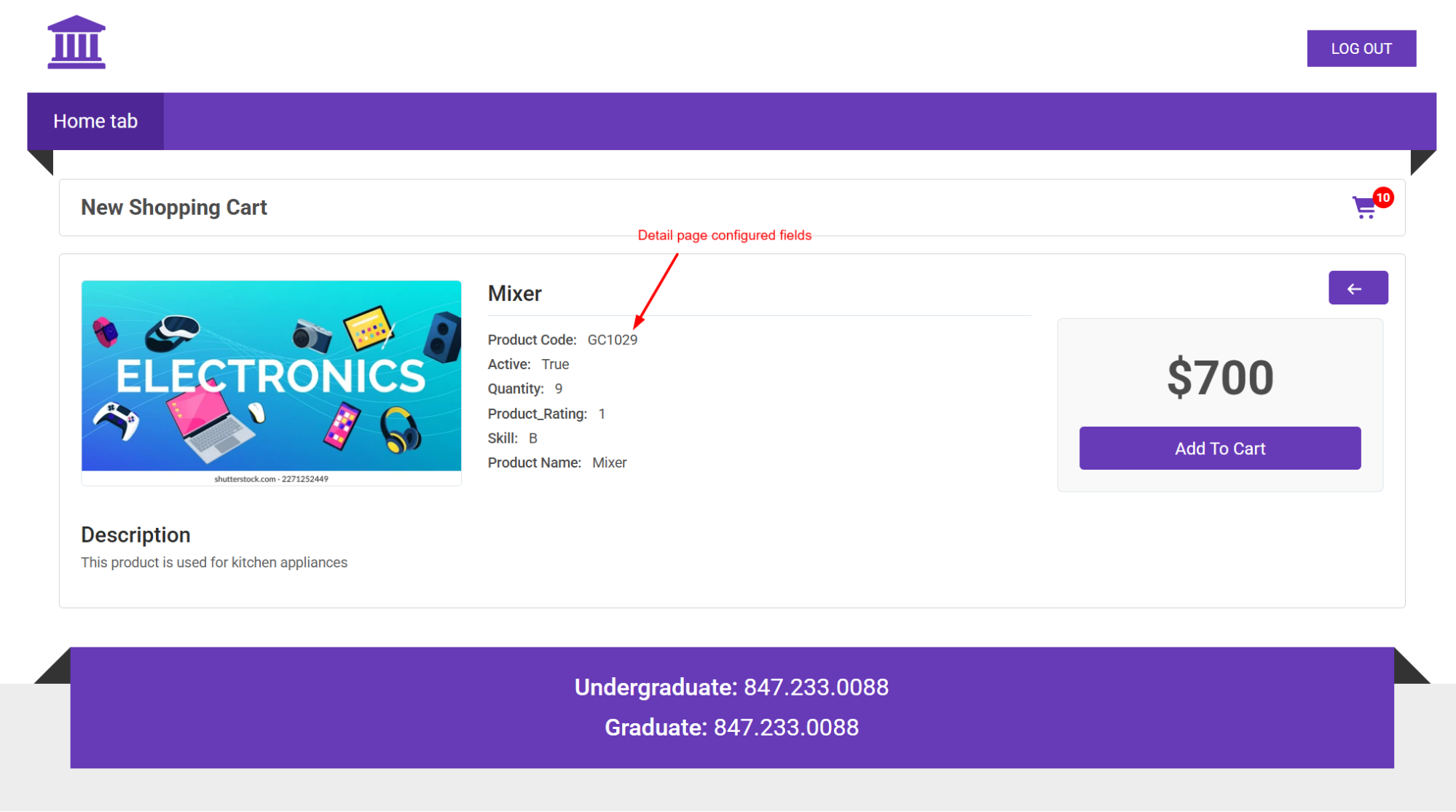
- A new multi-picklist field, Display Product Page Fields, allows
administrators to control which fields appear on the Product List View
and the Product Detail View. This provides greater flexibility when designing product display layouts.
Product Description Rich Text Support
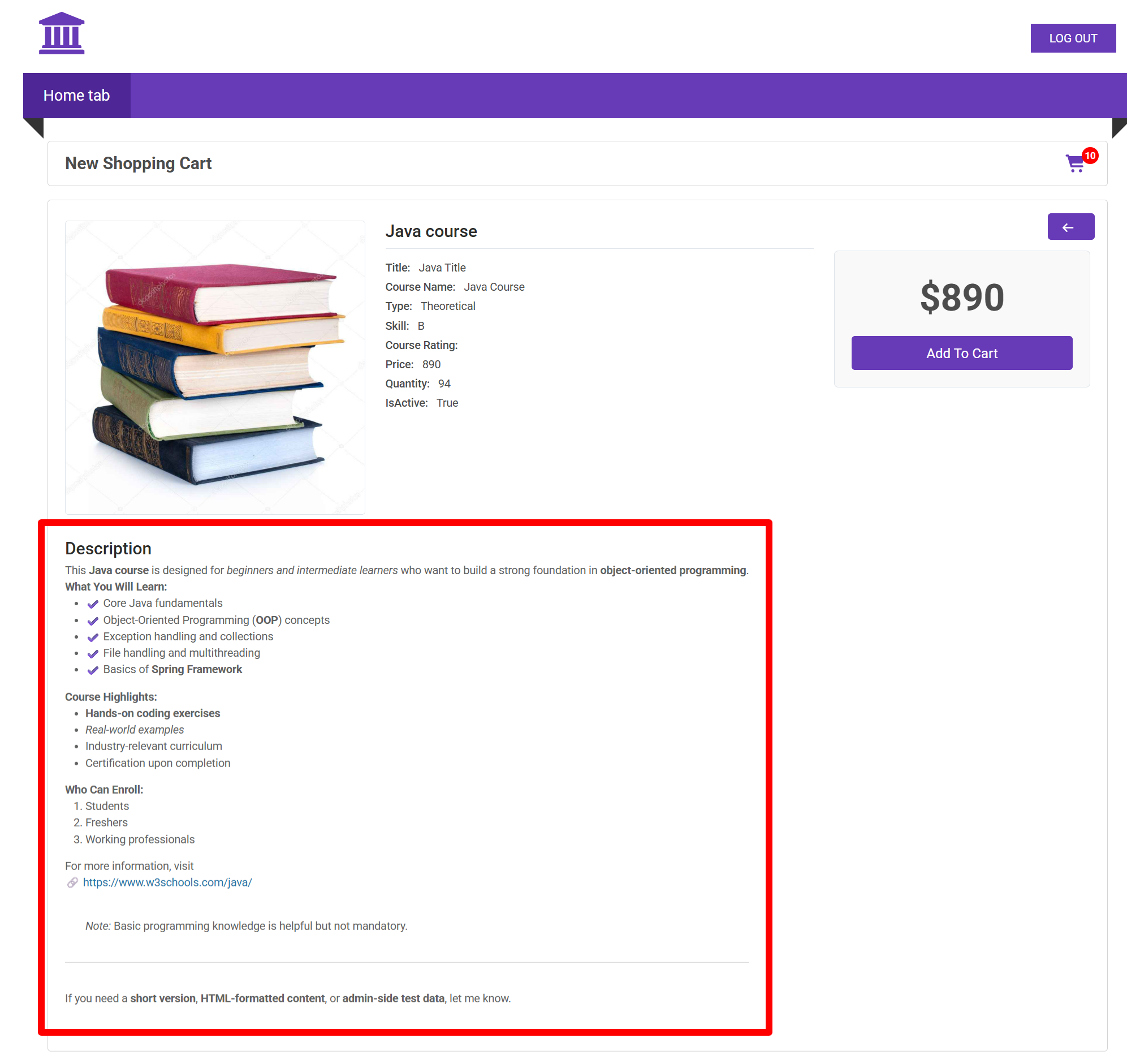
- The Product Description field now supports Rich Text formatting.
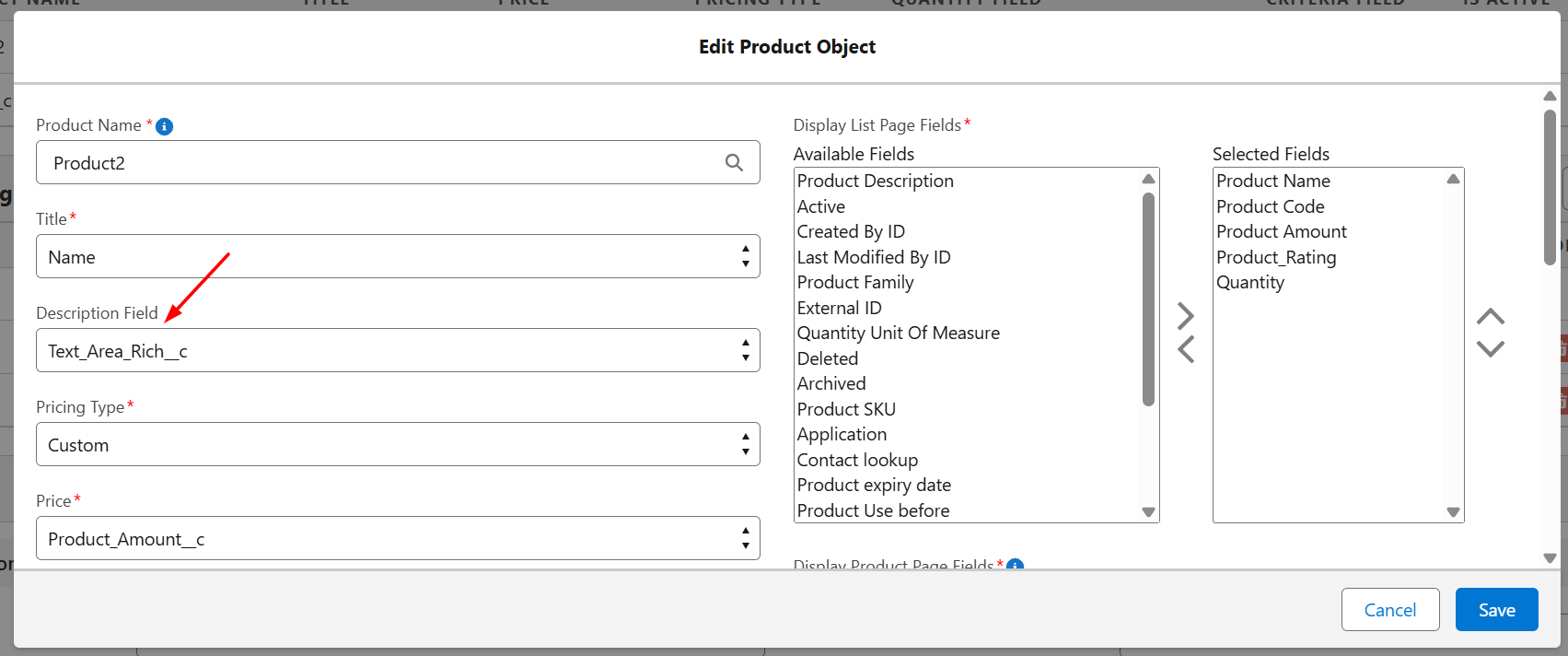
- Supported formatting options include:
- Bold
- Italics
- Underline
- Bullet points
- Numbered lists
- Hyperlinks
- Formatted content displays correctly on the Product Detail page.
Global Search
- Shopping Cart now includes Global Search functionality.
- Administrators configure searchable fields using the Global Search Fields
multi-picklist.
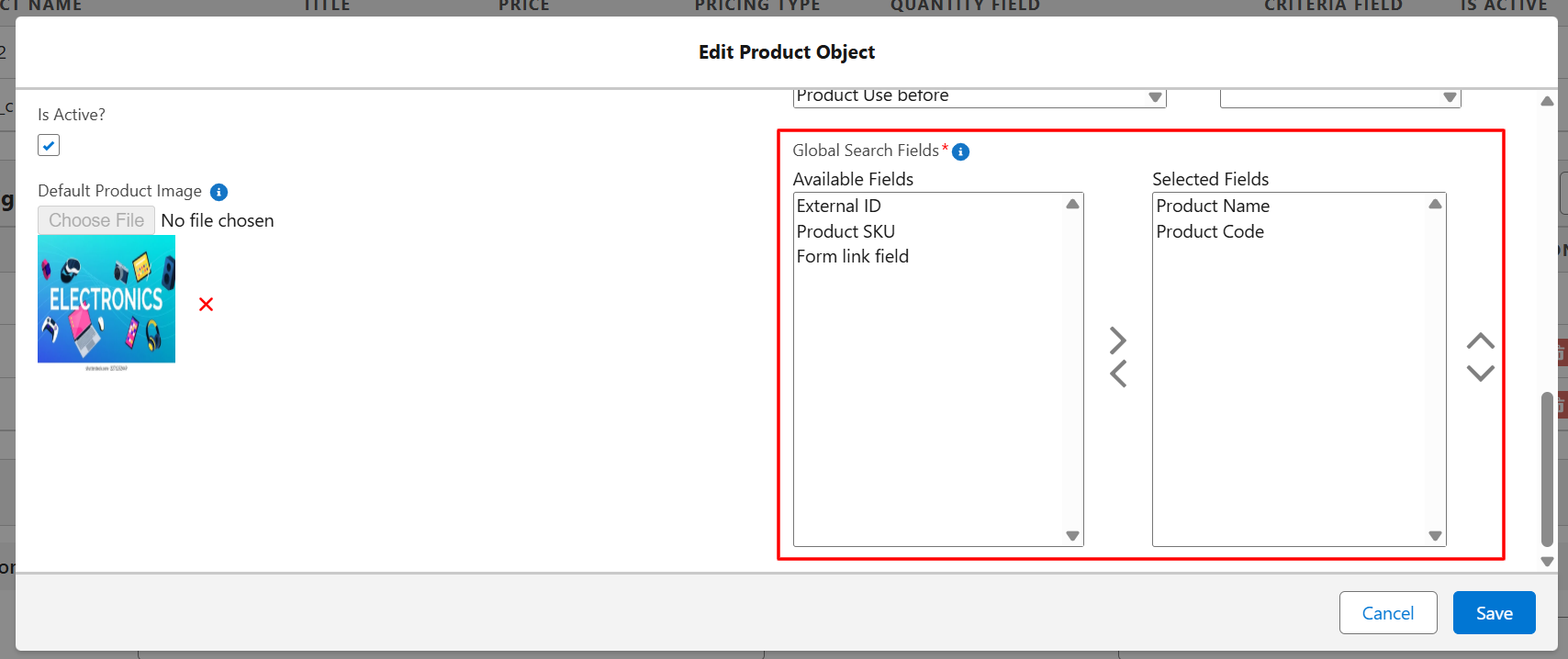 Note:Only Text-type fields are supported for Global Search.
 - Users can search products directly from the product list page.
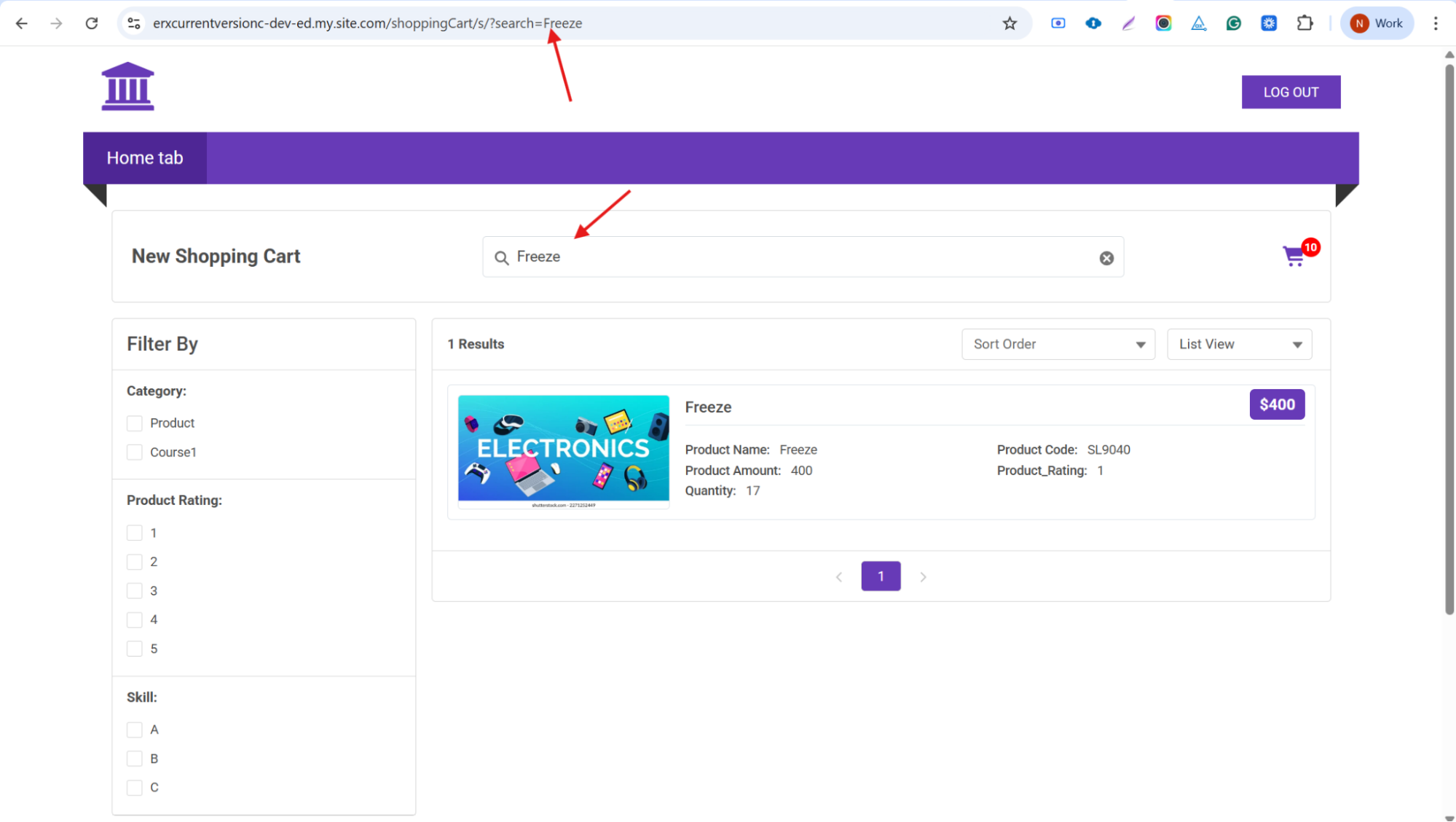
Dynamic URL Parameters
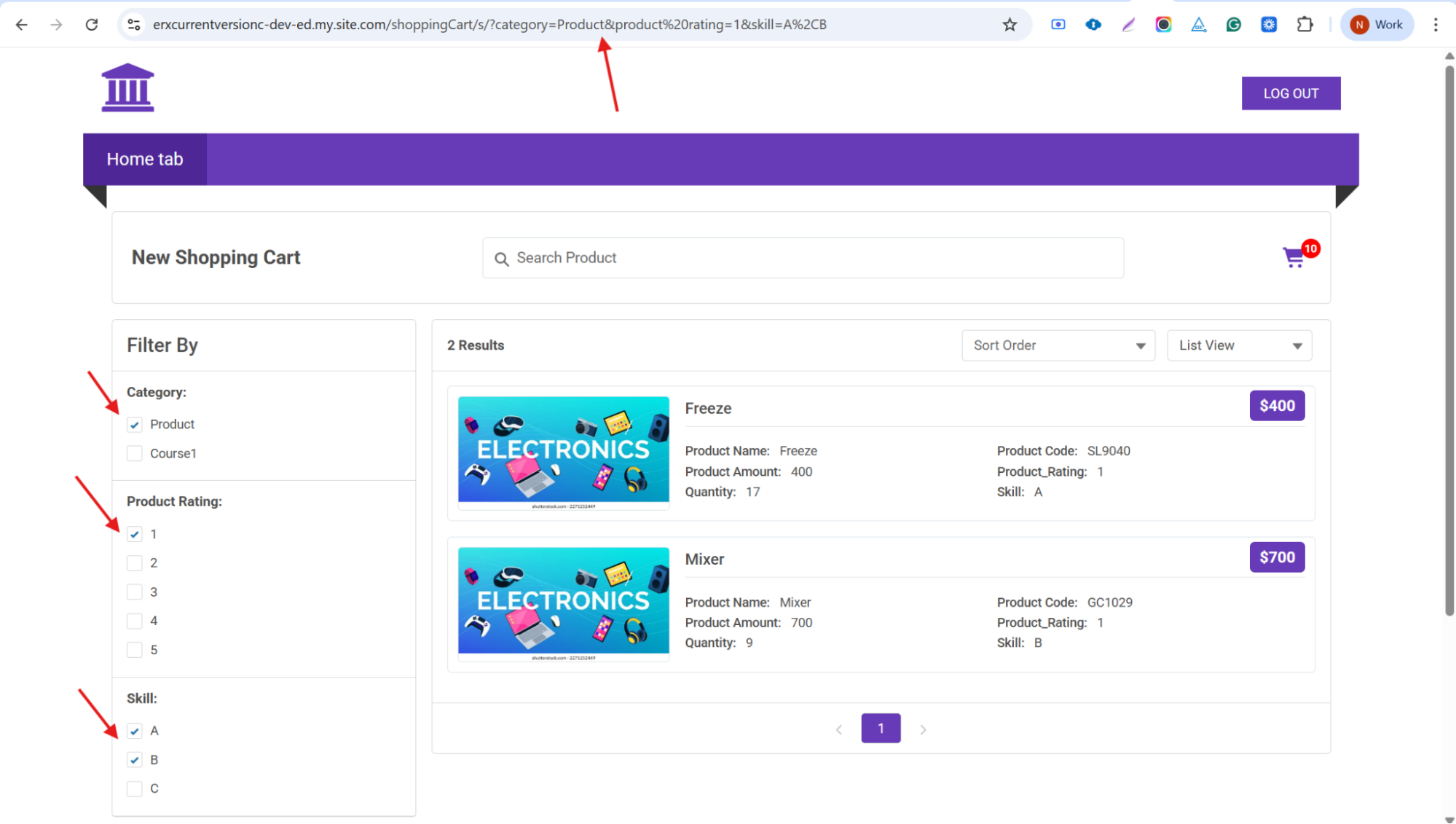
- Shopping Cart supports dynamic URL updates based on user actions.
- The system updates the URL when:
- A product is selected (Product ID is appended)
- Filters are applied
- Search criteria are entered
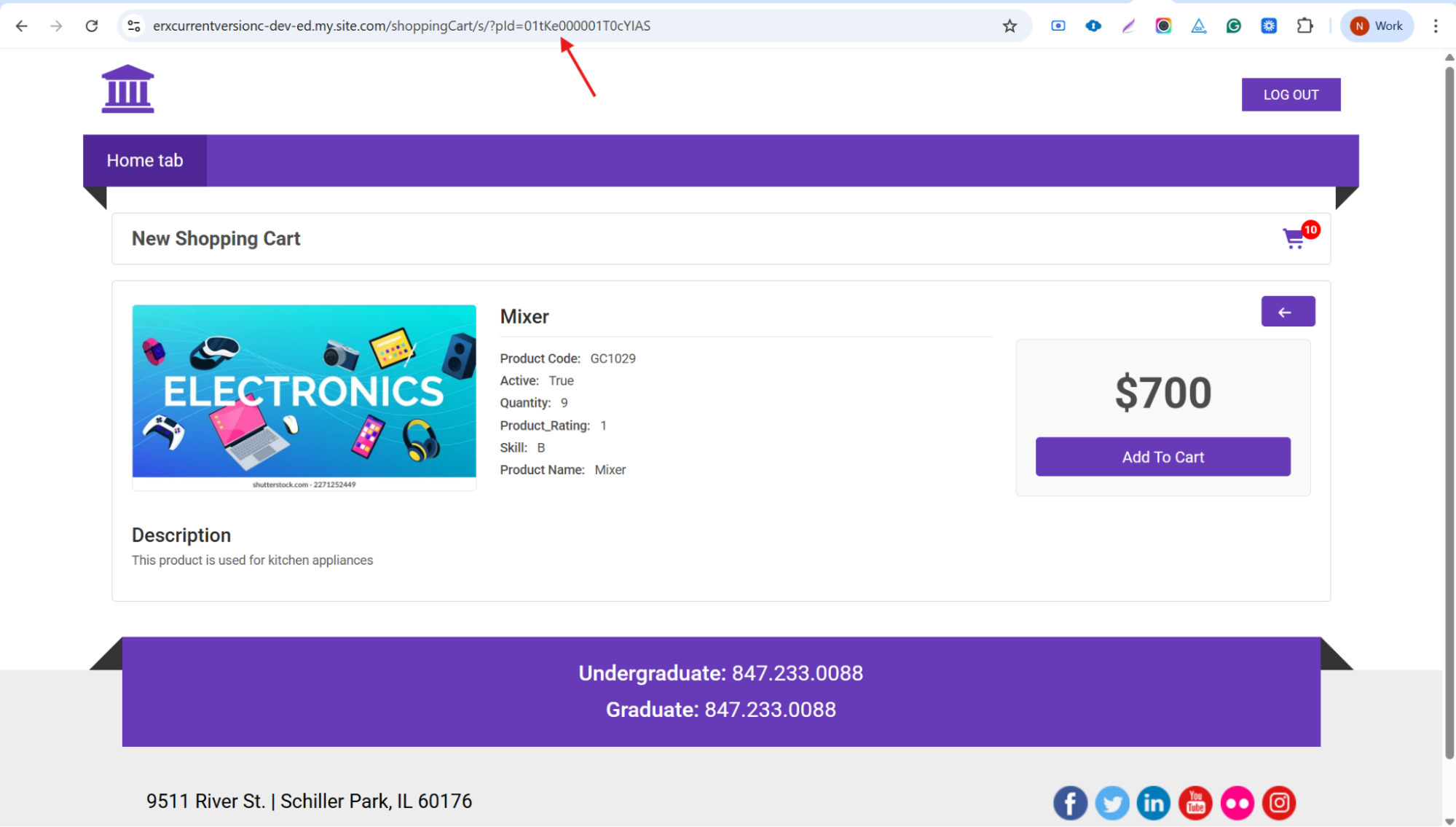
- This allows users to:
- Share filtered product links
- Navigate directly to specific product pages
- Access search results via URL
Product Tagging
Administrators can now configure a multi-select picklist field as a Tagging
Field in Product Configuration.
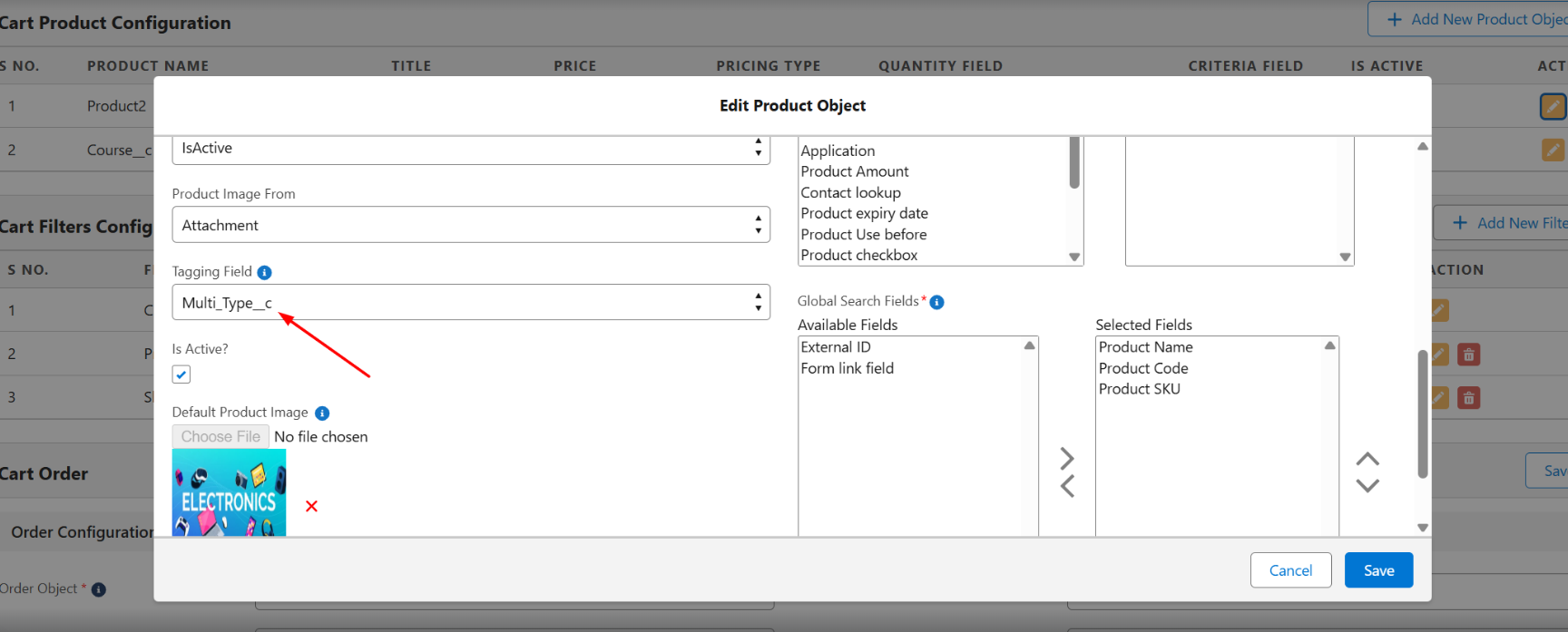
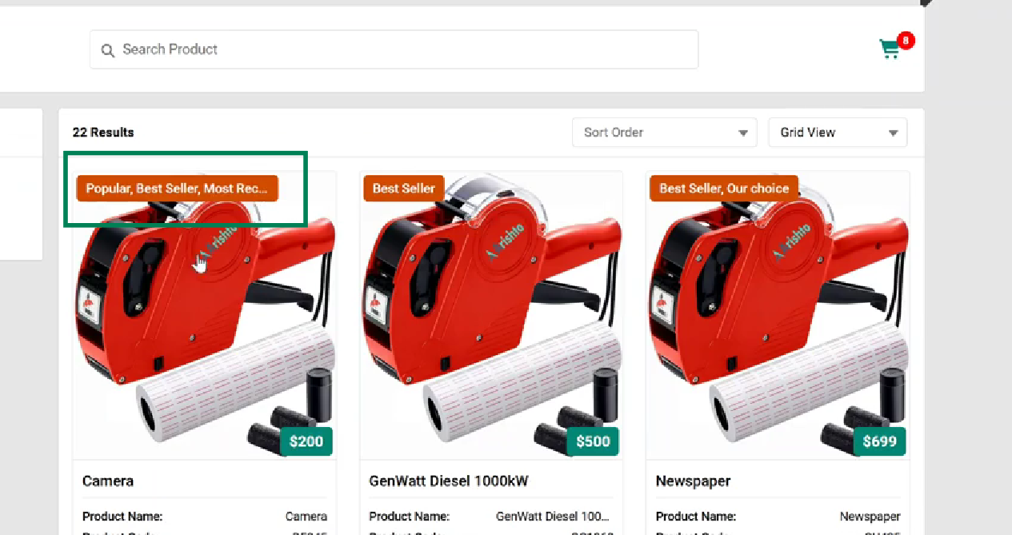
Configured values appear as visual tags on the product display page, and:
- Tags display compactly for readability.
- If multiple tags exist, an ellipsis (…) appears.
- Hovering displays the full list.
This feature improves product clarity and helps users quickly identify key attributes.
Collapsible Filter Section
The Shopping Cart list page now includes a toggle control that allows users to
collapse or expand the filter section.
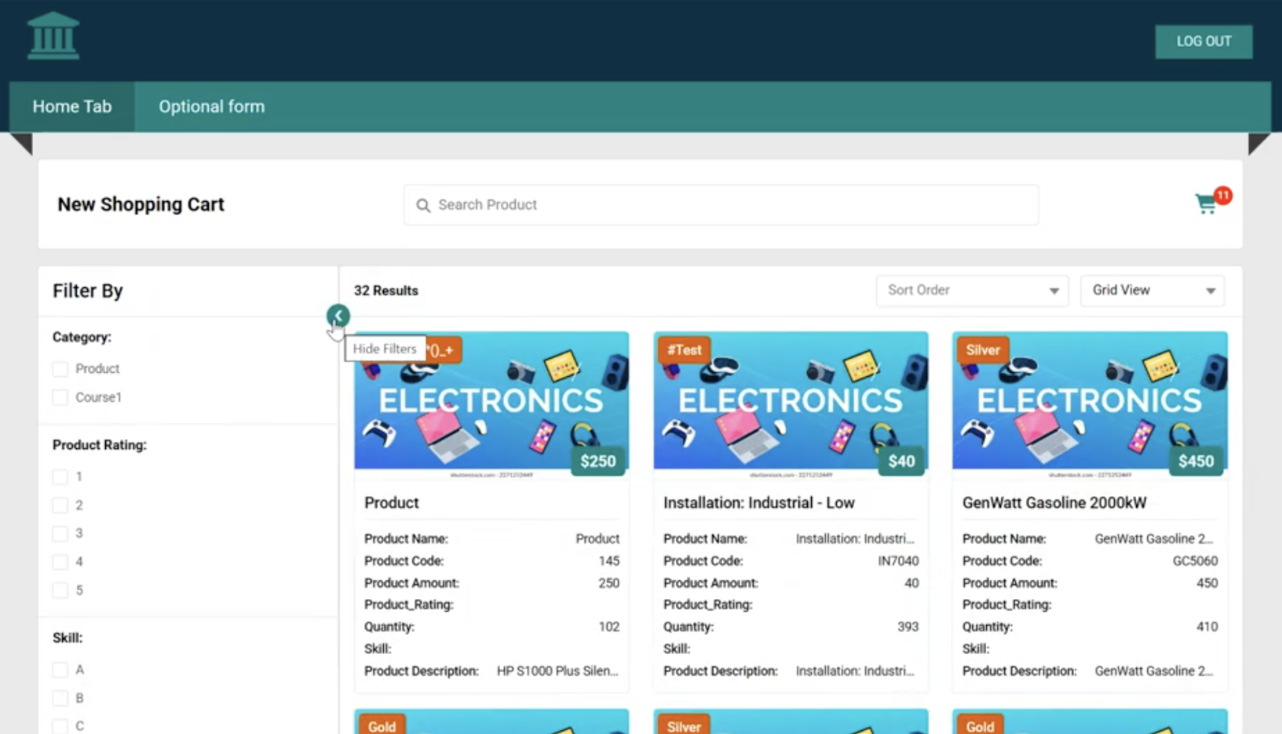
This improves usability by allowing users to maximize screen space while maintaining applied filters.