

About 2025 Release 2
This release represents a major upgrade for Import Rx. We are excited to introduce the
ability to directly import files into the “Big Table” object. This includes direct support
for .csv and .txt files, and the ability to save file mappings so they can be
reused.
Overview
Import Rx 2025 Release 2 features significantly enhanced data handling and
import capabilities that support the seamless conversion of .csv and .txt file data
into Big Table records.
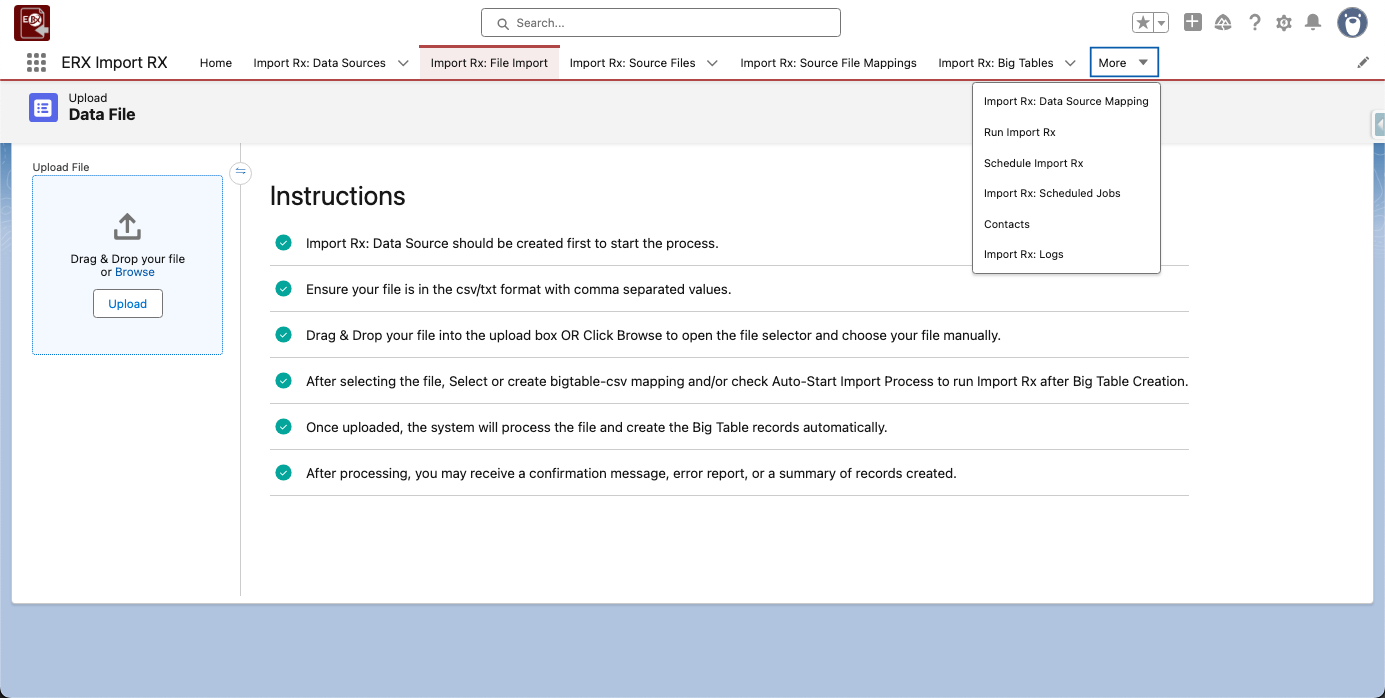
Highlights of this release include:
- Support for both .csv and .txt file formats for data upload
- Intelligent data prioritization
- Three new
sObjects, plus the introduction of new fields to the Big TablesObject, all prefixed withImport - New tabs and tab order
Note:
You can find detailed documentation for all of the release features in this new section of the user guide.
Considerations & Limitations
-
Import Rx supports the following delimiters:
- Comma (,)
- Comma with space (, )
- Pipe (|)
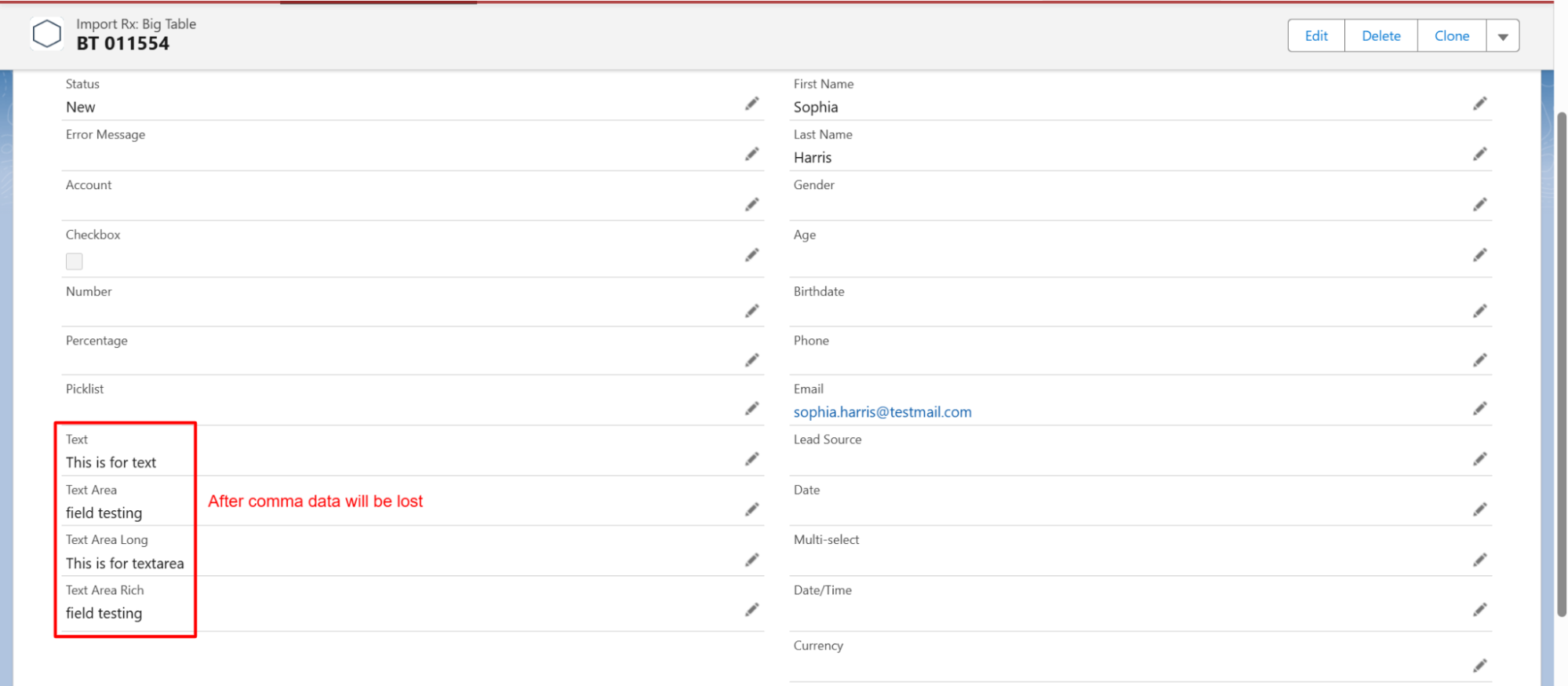
Comma with space delimiter limitation: When the user uploads a .txt file using a comma with a space as the delimiter, with headers and all text fields, the Big Table record processes the text field value only up to the comma.
- Batch Processing Control: If you experience batch errors with large
files, you can reduce the value of the
File_Row_Limitcustom metadata setting (default 2500) to create smaller batches and successfully process the records. - Text Spaces/Quotes: Leading/trailing spaces are not trimmed and
are inserted exactly as they appear. However, double quotes (
") used to enclose text in a .csv file are automatically removed on import.